utils¶
The utilitary module.
-
class
iamax.utils.HshMixin¶ Mixin class that aggregates a bunch of methods capable of hashing all objects that are put at stake within the scope of this project.
Note
Produced hashes are session- and platform-stable.
-
classmethod
hash(cls, o: type, safe: bool = False, as_str: bool = False)¶ Compute the hash of (almost) any object.
- Parameters
- Example
>>> clib = HshMixin
>>> clib.hash(np.arange(10))
b'778aff2f14a22e4446193e8b260ff86c'
>>> clib.hash(pd.DataFrame({'x': range(10), 'y': range(10, 20)}))
b'50ad6a828a38eac30443d628bedd81d4'
>>> clib.hash(pd.DataFrame({'x': [['a', 'b'], ['c']]}))
b'4f62860c2d6abb109ce0c222ffe51c82'
>>> dict_of_arrays = {'a1': np.arange(4), 'a2': np.arange(10)}
>>> clib.hash(dict_of_arrays)
b'9rS7goRlR8YVKZKNQp38iQ=='
>>> list_of_arrays = [np.arange(5), np.arange(10)]
>>> clib.hash(list_of_arrays)
b'8+XVccSiWeIEvc+qU4FGyA=='
>>> clib.hash(list_of_arrays, safe=True)
b'7XoBM0TA5f4xIusnLUBIFg=='
>>> blob = {
...     'str'       : 'abcdef',
...     'str_list'  : list('abcdef'),
...     'int'       : 1,
...     'bool'      : True,
...     'none'      : None,
...     'int_tuple' : (1,),
...     'float_list': [.123, 123.],
...     'df_dict'   : {
...         'df1':pd.DataFrame(
...             {'w': ['a', 'b', 'c'], 'x': [1., 2., 3.]}
...         ),
...         'df2':pd.DataFrame(
...             {'y': [False, True], 'z': ['q', 'p']}
...         ),
...     },
...     'arr_dict'  : {'a1': np.arange(5), 'a2': np.arange(10)},
...     'bool_list' : [True, False, False],
...     'none_list' : [None, None, 'None'],
...     'blob_list' : [
...         None, False, 123., np.arange(10), [1], (1,), {1: 1}
...     ],
... }
>>> clib.hash(blob)
b'q2eZ6+1E+Eh2c6NLEj5Tcw=='
>>> clib.hash((0, 0), safe=True)
b'gxqtrbJgHMDfXLxtuonJqQ=='
>>> clib.hash(((0, 0),), safe=True)
b'UMJi8crvkzWbbHk50yFI8w=='
>>> clib.hash([0, 0], safe=True)
b'FWIxzndKR1OXwT6ToOOs5w=='
>>> clib.hash([[0, 0]], safe=True)
b'FWIxzndKR1OXwT6ToOOs5w=='
-
classmethod
-
class
iamax.utils.IMMixin¶ IAMAX flavored mixin class that provides a whole mess of functional programming helpers (without extending any built-in objects).
-
static
is_jsonable(x, forbidden_types: (tuple|list)[type] = None)¶ Test whether an object is JSON serializable.
- Parameters
- Example
>>> IMMixin.is_jsonable(1)
True
>>> IMMixin.is_jsonable('1')
True
>>> IMMixin.is_jsonable([])
True
>>> IMMixin.is_jsonable(set())
False
>>> IMMixin.is_jsonable([], list)
False
-
classmethod
otbprint(cls, o: tuple|list|dict, just_return: bool = False, evaluable: bool = False, sort_keys: bool = True, indent: int = 2, ascii_allowed: bool = True, on_error: str = 'raise')¶ Print serializable objects following the indentation style of K&R, also known as the one true brace style.
- Parameters
o (tuple or list or dict) – A serializable object to be printed.
just_return (bool) – Whether the prettified representation must just be returned, without any printing. Set to
Falseby default.evaluable (bool) – Whether the representation must be evaluable. Set to
Falseby default.sort_keys (bool) – Whether the string-dump is to be performed over sorted keys. Set to
Trueby default.indent (int) – String-dump indent-level. Set to
2by default.ascii_allowed (bool) – Whether the string-dump is allowed to contain non-ASCII. Set to
Trueby default.on_error (str) – Behavior to be adopted by the method in case of non-JSONable object. Options are
'raise'and'ignore'. Set to'raise'by default.
- Example
>>> IMMixin.otbprint({'a': [1, 2, 3], 'b': {'c': [4, 5, 6]}})
{
  "a": [
    1,
    2,
    3
  ],
  "b": {
    "c": [
      4,
      5,
      6
    ]
  }
}
>>> IMMixin.otbprint({None: None})
{
  "null": null
}
>>> IMMixin.otbprint({None: None}, evaluable=True)
{
  "null": None
}
>>> IMMixin.otbprint({'null': None}, evaluable=True)
{
  "null": None
}
>>> IMMixin.otbprint({"None": None}, evaluable=True)
{
  "None": None
}
>>> IMMixin.otbprint({"array": np.array([[]])}, evaluable=True)
{
  "array": [
    []
  ]
}
Warning
Following the YAGNI principle, this method is not generalized and may performed poorly or break depending on the type of its argument.
-
classmethod
_is_static_method(cls, c: type, m: str)¶ Tell whether a provided method is a
staticmethod.- Parameters
- Example
>>> class_ = type(
...     'class_', (), {
...         'a': staticmethod(lambda x: x),
...         'b': classmethod(lambda _, x: x),
...         'c': lambda _, x: x,
...     }
... )
>>> IMMixin._is_static_method(c=class_, m='a')
True
>>> IMMixin._is_static_method(c=class_, m='b')
False
>>> IMMixin._is_static_method(c=class_, m='c')
False
>>> IMMixin._is_static_method(c=class_(), m='a')
True
>>> IMMixin._is_static_method(c=class_(), m='b')
False
>>> IMMixin._is_static_method(c=class_(), m='c')
False
>>> IMMixin._is_static_method(
...     c=type('child_class', (class_,), {}), m='a'
... )
True
-
classmethod
_is_class_method(cls, c: type, m: str)¶ Tell whether a provided method is a
classmethod.- Parameters
- Example
>>> class_ = type(
...     'class_', (), {
...         'a': staticmethod(lambda x: x),
...         'b': classmethod(lambda _, x: x),
...         'c': lambda _, x: x,
...     }
... )
>>> IMMixin._is_class_method(c=class_, m='a')
False
>>> IMMixin._is_class_method(c=class_, m='b')
True
>>> IMMixin._is_class_method(c=class_, m='c')
False
>>> IMMixin._is_class_method(c=class_(), m='a')
False
>>> IMMixin._is_class_method(c=class_(), m='b')
True
>>> IMMixin._is_class_method(c=class_(), m='c')
False
>>> IMMixin._is_class_method(
...     c=type('child_class', (class_,), {}), m='b'
... )
True
-
static
_isnt_instance_method(c: type, m: str)¶ Tell whether a provided method is neither a
staticmethodor aclassmethodmethod.- Parameters
- Example
>>> class_ = type(
...     'class_', (), {
...         'a': staticmethod(lambda x: x),
...         'b': classmethod(lambda _, x: x),
...         'c': lambda _, x: x,
...     }
... )
>>> IMMixin._isnt_instance_method(c=class_, m='a')
True
>>> IMMixin._isnt_instance_method(c=class_, m='b')
True
>>> IMMixin._isnt_instance_method(c=class_, m='c')
False
>>> IMMixin._isnt_instance_method(c=class_(), m='a')
True
>>> IMMixin._isnt_instance_method(c=class_(), m='b')
True
>>> IMMixin._isnt_instance_method(c=class_(), m='c')
False
-
classmethod
_method_input_signature(cls, c: type, m: str)¶ Return a
inspect.Signature-derived list of the given method’s argument names.- Parameters
- Example
>>> class_ = type(
...     'class_', (), {
...         'a': staticmethod(lambda x, y, z: None),
...         'b': classmethod(lambda c, x, y, z: None),
...         'c': lambda s, x, y, z: None,
...     }
... )
>>> IMMixin._method_input_signature(c=class_, m='a')
('x', 'y', 'z')
>>> IMMixin._method_input_signature(c=class_, m='b')
('x', 'y', 'z')
>>> IMMixin._method_input_signature(c=class_, m='c')
('x', 'y', 'z')
-
static
_items_grouper(o: dict|dict_items|list|tuple, i: int|Callable, otyper: type = list, kprocer: Callable = lambda _: _)¶ Group elements based on their n-th member.
- Parameters
o (dict or list or tuple) – Sequence of collections to be processed.
i (int or Callable) – Key-like getter or integer-based position of the grouping criterion within each element of
o.otyper (type) – Determine the type of the returned grouped components. Set to
listby default.kprocer (Callable) – Grouping-criterion processor. Set to
lambda _: _by default.
Note
If
ois ofdicttype, it is itemized prior to processing, i.e. converted into a list of key-value pairs. In such a case,imust belong to{0, 1}.- Example
>>> items = [
...     ('a', 0, 2),
...     ('a', 1, 3),
...     ('b', 0, 4),
...     ('b', 1, 5),
... ]
>>> IMMixin._items_grouper(items, i=0)
[('a', [(0, 2), (1, 3)]), ('b', [(0, 4), (1, 5)])]
>>> IMMixin._items_grouper(items, i=1)
[(0, [('a', 2), ('b', 4)]), (1, [('a', 3), ('b', 5)])]
Yet another example.
>>> IMMixin._items_grouper({'a': 1, 'b': 2}, i=0)
[('a', [1]), ('b', [2])]
And another one that deals with negative indexing.
>>> IMMixin._items_grouper(items, i=-2)
[(0, [('a', 2), ('b', 4)]), (1, [('a', 3), ('b', 5)])]
Note that i can also be a callable, so as to deal with more complex scenarios.
>>> IMMixin._items_grouper(items, i=opr.itemgetter(-2))
[(0, [('a', 0, 2), ('b', 0, 4)]), (1, [('a', 1, 3), ('b', 1, 5)])]
However, note how the so-grouped items have undergone no reorganization. Such processing has to be (made possible and) explicitly requested, e.g. as follows
>>> IMMixin._items_grouper(
...     map(list, items), i=lambda e: e.pop(-2)
... )
[(0, [('a', 2), ('b', 4)]), (1, [('a', 3), ('b', 5)])]
-
static
_keymap_replacer(str_: str, map_: list)¶ Replace parts of a string based on from-to pairs of strings.
-
static
topological_generations_subsetter(items: nx.DiGraph|(tuple|list)[tuple[type, type]]|dict[type, type], uedges: list[tuple[tuple[type, type], ...]]|None = None, indexed: bool = False, _typer: type = nx.DiGraph)¶ Compute alternative topological generations by pruning groups of ingoing edges in a directed acyclic graph.
- Parameters
items (networkx.DiGraph or list or tuple or dict) – Sequence of edges to be processed.
uedges (list of tuples of 2-tuples) – Sequence of edge
(parent, child)groups. Set toNoneby default, in which case no edges are removed and the generations of the original graph are returned under the key'*'.indexed (bool) – Whether generation indices must be returned in lieu of the concerned nodes. Set to
Falseby default._typer (type) – Private argument defaulted at the class level. Set to
networkx.DiGraph.
See also
networkx.topological_generations.- Example
Some commonalities first.
>>> sorter  = lambda tgs: [sorted(gen) for gen in tgs]
>>> vsorter = lambda tgss: {
...     k: sorter(tgs)
...     for k, tgs in tgss.items()
... }
Basic usage (no edges removed):
>>> nodes = [(1, 2), (1, 3), (2, 3)]
>>> vsorter(IMMixin.topological_generations_subsetter(nodes))
{'*': [[1], [2], [3]]}
>>> dg = nx.DiGraph(nodes)
>>> vsorter(IMMixin.topological_generations_subsetter(dg))
{'*': [[1], [2], [3]]}
Compare with
networkx.topological_generations:>>> sorter(nx.topological_generations(dg)) [[1], [2], [3]]
Remove one ingoing edge at a time (singleton edge groups):
>>> vsorter(IMMixin.topological_generations_subsetter(
...     nodes,
...     uedges=[((1, 3),), ((2, 3),)]
... ))
{((1, 3),): [[1], [2], [3]], ((2, 3),): [[1], [2, 3]]}
>>> IMMixin.topological_generations_subsetter(
...     nodes,
...     uedges=[((1, 3),), ((2, 3),)],
...     indexed=True
... )
{((1, 3),): {1: 0, 2: 1, 3: 2}, ((2, 3),): {1: 0, 2: 1, 3: 1}}
Remove several edges at once:
>>> vsorter(IMMixin.topological_generations_subsetter(
...     dg,
...     uedges=[((1, 3), (2, 3))]
... ))
{((1, 3), (2, 3)): [[1, 3], [2]]}
-
classmethod
dag_maker(cls, items: dict|dict_items, full_output: bool = False, _typer: type = nx.DiGraph)¶ Instantiate a
networkx.DiGraph-archetyped directed acyclic graph from a list of items.- Parameters
items (dict or list) – Sequence of roots-edges pairs. Edges can themselves be the keys of sub-dictionaries.
full_output (bool) – Whether all the ancillary objects that have been internally created, are to be returned as well. Set to
Falseby default._typer (type) – Private argument defaulted at the class level. Set to
networkx.DiGraph.
- Example
>>> g0 = IMMixin.dag_maker(items={})
>>> print('\n'.join(nx.generate_network_text(g0)))
╙
>>> g = IMMixin.dag_maker(
...     items={
...         'b': ['b2', 'b3'],
...         'a': ['b', 'c'],
...         'c': ['c2', 'c3'],
...     }
... )
>>> print('\n'.join(nx.generate_network_text(g)))
╙── a
    ├─╼ b
    │   ├─╼ b2
    │   └─╼ b3
    └─╼ c
        ├─╼ c2
        └─╼ c3
Yet another example with data attached to edges, requesting
full_outputin passing.>>> d = IMMixin.dag_maker( ... full_output=True, items={ ... 'b': {('b2', 'b3'): 10}, ... 'a': {('b', 'c'): 0}, ... 'c': {('c2', 'c3'): 11}, ... } ... ) >>> sorted(d) ['_', ...]
Key
'_'refers to the object of primary interest, i.e.itemsabove.>>> (g := d['_'])['a'] AtlasView({'b': {'': 0}, 'c': {'': 0}}) >>> print('\n'.join(nx.generate_network_text(g))) ╙── a ├─╼ b │ ├─╼ b2 │ └─╼ b3 └─╼ c ├─╼ c2 └─╼ c3
-
classmethod
dag_uncycler(cls, items: dict|dict_items, wkey: str = None, _typer: type = nx.DiGraph)¶ Remove nodes from directed cycles using a greedy weight-based rule until the graph becomes a DAG.
- Parameters
items (dict or list) – Sequence of roots-edges pairs. Edges can themselves be the keys of sub-dictionaries.
wkey (str) – Attribute name to be considered as removal criterion. Set to
Noneby default, which boils down to considering that data consist in uncontained scalar._typer (type) – Private argument defaulted at the class level. Set to
networkx.DiGraph.
Attention
Data being attached to edges are not fully rendered, i.e. only the per-edge datum associated to
wkeyis preserved.- Example
>>> IMMixin.dag_uncycler(items={})
[]
>>> IMMixin.dag_uncycler(
...     items={
...         'a': 'c',
...         'c': 'd',
...         'd': 'a',
...     }
... )
Traceback (most recent call last):
 ...
RuntimeError: Edges must have a datum attached
>>> IMMixin.dag_uncycler(
...     items={
...         'a': {'c': 0},
...         'c': {'d': 1},
...         'd': {'a': 2},
...     }
... )
[('c', {('d',): 1}), ('d', {('a',): 2})]
>>> IMMixin.dag_uncycler(
...     wkey='w', items={
...         'a': {'c': {'w': 0}},
...         'c': {'d': {'w': 1}},
...         'd': {'a': {'w': 2}},
...     }
... )
[('c', {('d',): {'w': 1}}), ('d', {('a',): {'w': 2}})]
>>> IMMixin.dag_uncycler(
...     wkey='w', items={
...         'a': {'c': {'w': 2}},
...         'c': {'d': {'w': 0}},
...         'd': {'a': {'w': 1}},
...     }
... )
[('a', {('c',): {'w': 2}}), ('d', {('a',): {'w': 1}})]
>>> IMMixin.dag_uncycler(
...     wkey='w', items={
...         'a': {('c',): {'w': 2}},
...         'c': {('d',): {'w': 1}},
...         'd': {('a',): {'w': 0}},
...     }
... )
[('a', {('c',): {'w': 2}}), ('c', {('d',): {'w': 1}})]
-
classmethod
dag_sorter(cls, items: dict|dict_items, reverse: bool = False, cycle_cutset: set = None, full_output: bool = False, _typer: type = nx.DiGraph, _inf: float = float('inf'))¶ Sort key-values pairs by resolution order according to the implicit position they have within the directed acyclic graph they jointly form.
- Parameters
items (dict or list) – Sequence of roots-edges pairs. Edges can themselves be the keys of sub-dictionaries.
reverse (bool) – Whether the dependecy tree is to be returned reverted. Set to
Falseby default.cycle_cutset (set) – Nodes to remove to destroy all simple cycles. If provided, these nodes are removed before any heuristic. Order is ignored; duplicates allowed; unknown nodes are skipped. Set to
None``by default, which boils down to ``set().full_output (bool) – Whether all the objects (of interest) that have been internally processed, e.g. the
networkx.DiGraphinstance supporting the inference, are to be returned as well. Set toFalseby default._typer (type) – Private argument defaulted at the class level. Set to
networkx.DiGraph._inf (float) – Idem. To
float('inf').
Note
Cycles, if any, are treated in one piece as nodes.
- Example
>>> items = IMMixin.dag_sorter(
...     items={
...         'b': ['b2', 'b3'],
...         'a': ['b', 'c'],
...         'c': ['c2', 'c3'],
...     }
... )
>>> items[0]
('c', ['c2', 'c3'])
>>> items[-1]
('a', ['b', 'c'])
Yet another example with data attached to edges.
>>> items = IMMixin.dag_sorter(
...     items={
...         'b': {('b2', 'b3'): 10},
...         'a': {('b', 'c'): 0},
...         'c': {('c2', 'c3'): 11},
...     }
... )
>>> items[0]
('c', {('c2', 'c3'): 11})
>>> items[-1]
('a', {('b', 'c'): 0})
illustrating the fact that the method can deal with duplicate “keys”, let’s request
full_output.>>> d = IMMixin.dag_sorter( ... full_output=True, items=[ ... ('b', {('b2', 'b3'): 10}), ... ('b', {('b4', 'b5'): -10}), ... ('a', {('b', 'c'): 0}), ... ('c', {('c2', 'c3'): 11}), ... ] ... ) >>> sorted(d) ['_', 'g']
Key
'_'refers to the object of primary interest, i.e.itemsabove.>>> d['_'][-1] ('a', {('b', 'c'): 0})
And the
'g'key anetworkx.DiGraphinstance.>>> d['g'] <networkx.classes.digraph.DiGraph object at ...>
Let’s finally deal with a null case.
>>> IMMixin.dag_sorter(items={})
[]
>>> IMMixin.dag_sorter(
...     items={}, full_output=True
... )
{'_': [], 'g': <networkx.classes.digraph.DiGraph object at ...>}
-
classmethod
nx_neg_subgrapher(cls, graph: nx.DiGraph, wnodes: (tuple|list|set)[type] = None, unodes: (tuple|list|set)[type] = None, uforced: bool = False, on_contradiction: str = 'raise', otyper: type = None, **_kws: type)¶ Explicit the removable subgraph(s) associated to a list of (un)desired nodes identifiers.
- Parameters
graph (networkx.DiGraph) –
networkx.DiGraphinstance to be considered.wnodes (tuple or list or set) – Sequence of (hashable) nodes identifiers whose wanted subgraph is to be explicited. Set to
Noneby default, which internally boils downunodes (tuple or list or set) – Sequence of (hashable) nodes identifiers whose undesirable subgraph is to be explicited. Set to
Noneby default, which internally boils down toset().uforced (bool) – Whether
unodes’s dependent nodes must be considered as undesired as well. Set toFalseby default.on_contradiction (str) – Behavior to be adopted by the method when
wnodesandunodescontredict each other. Options are'raise'and'ufirst'. Set to'raise'by default.otyper (type) – Determine the type of the returned groups. Set to
Noneby default, which boils down to callunodes.__class__on the method’s output.**_kws (type) – Private keyword arguments used internally during recursion, if any.
- Example
Let’s consider the following (directed acyclic) graph.
>>> g = nx.DiGraph()
>>> g.add_edges_from([
...     ('A', 'D'),
...     ('A', 'E'),
...     ('D', 'H'),
...     ('D', 'I'),
...     ('E', 'I'),
...     ('E', 'J'),
...     ('B', 'E'),
...     ('B', 'F'),
...     ('F', 'K'),
...     ('C', 'G'),
...     ('G', 'K'),
... ])
Which looks like (with non-represented arrows running from top to bottom)
# A B C # / / / # D E F G # / / / # H I J K
For some reasons, we are not interested in nodes
AandBand would like to know the set of their exclusive relatives, i.e. the set of nodes whose only ancestors areAandB.>>> IMMixin.nx_neg_subgrapher( ... graph=g, unodes=['A', 'B'], otyper=sorted ... ) ['A', 'B', 'D', 'E', 'F', 'H', 'I', 'J']
Nodes
KandGcannot be discarded since they are required by nodeC. Note that the complementary approach can as well be processed.>>> IMMixin.nx_neg_subgrapher( ... graph=g, wnodes=['C'], otyper=sorted ... ) ['A', 'B', 'D', 'E', 'F', 'H', 'I', 'J']
Let’s then consider the following enriched graph.
>>> g.add_edge('Z', 'F')
# A B Z C # / / / / # D E F G # / / / # H I J K
>>> IMMixin.nx_neg_subgrapher(
...     graph=g, unodes=['A', 'B'], otyper=sorted
... )
['A', 'B', 'D', 'E', 'H', 'I', 'J']
The node
Fhas been removed from the discardable subgraph since it is required by nodeZ. Another example.>>> IMMixin.nx_neg_subgrapher( ... graph=g, unodes=['D', 'E'], otyper=sorted ... ) []
Indeed, no nodes can be discarded since nodes
AandBthat require nodesDandEhave not been explicitly pointed out as undesired. To qualify these downstream nodes to also be considered as undesired and, thus, put the entire subgraph aside, setuforced=True.>>> IMMixin.nx_neg_subgrapher( ... graph=g, unodes=['D', 'E'], otyper=sorted, uforced=True ... ) ['A', 'B', 'D', 'E', 'H', 'I', 'J']
To prevent us from emerging contradictions between
wnodesandunodes, we can seton_contradiction='ufirst'as, shown above, otherwise and error is raised.>>> IMMixin.nx_neg_subgrapher( ... graph=g, unodes=['D', 'E'], wnodes=['J'], otyper=sorted, ... uforced=False, on_contradiction='ufirst' ... ) ['A', 'B', 'C', 'D', 'E', 'F', 'G', 'H', 'I', 'K', 'Z']
Note that the possibility of giving
wnodesprecedence has not been implemented yet.
-
classmethod
namedtupler(cls, obj: (dict|list|set|tuple|frozenset)[type] = None, _hλ: Callable = HshMixin._str_safe_hash)¶ Convert dictionaries (of arbitrary depth) into
collections.namedtuple.- Reference:
Credits to fuggy_yama for this function.
- Parameters
- Example
>>> o = {
...     'a0': {
...         'a10': 1,
...         'a11': 2,
...     },
...     'b0': 3
... }
>>> nt = IMMixin.namedtupler(o)
>>> type(nt)
<class '__main__.IMMixin.NTupled_8se4itzq'>
>>> nt.a0
NTupled_g9crks8g(a10=1, a11=2)
>>> nt.a0.a10
1
>>> nt.b0
3
-
classmethod
dict_subsetter(cls, d: dict, keykeeper: Callable = lambda k, v: True, keymodifier: Callable = lambda k, v: k, valmodifier: Callable = lambda k, v: v, lstmodifier: Callable = lambda k, L: L, dctmodifier: Callable = lambda k, b: b, nulls: list or tuple = (None, []{}))¶ Subset a dictionary under callable-based conditions.
- Parameters
d (dict) – Dictionary to be subset.
keykeeper (Callable) – Filter-function to be used to check whether a key (and its associated value) must be kept. Set to
lambda k, v: True, i.e. no filter. As can be guessed from the default value, the callable must also take the key’s original value as argument.keymodifier (Callable) – Function to be used to modify kept keys in case the original is not adapted. To
lambda k, v: kby default, i.e. no modification. As can be guessed from the default value, the callable must also take the key’s original value as argument.valmodifier (Callable) – Function to be used to modify kept values. Set to
lambda k, v: vby default, i.e. no modification. As can be guessed from the default value, the callable must also take the value’s original key as argument.lstmodifier (Callable) – Function to be used to modify kept values that consist in lists or tuples. Set to
lambda k, L: Lby default, i.e. no modification. Here again, the callable must take the value’s original key as argument.dctmodifier (Callable) – Function to be used to modify kept values that consist in dictionaries. Set to
lambda k, b: bby default, i.e. no modification. Here again, the callable must take the value’s original key as argument. Moreover, this callable must return a dictionary if you want it to be subject to subsetting.nulls (list or tuple) – List of values to be dropped during the process. Set to
(None, [], {})by default.
Important
If
dis not a dictionary, it is returned as provided.If
ditself contains sub-dictionaries, the filtering process is performed recursively.lstmodifier’s output is subject to recursion depending of course on whether it is (still) a dictionary or not. Put differentlylstmodifieris applied prior to any self-call ofdict_subsetter().dctmodifier’s output has to be a dictionary which will also be subject to recursion. I.e.dctmodifieris applied prior to any recursive call ofdict_subsetter().The filtering-compliance of a child key has precedence over its parent.
- Example
>>> d = {
...     'a': {1: 1, 'a': 1},
...     'b': {2: 1, 'a': 1},
...     'c': {3: 1,},
...     'd': 1,
...     4  : {'e': 1,},
...     5  : [{6: 1}, {'f': 1}],
...     7  : None,
...     8  : [],
...     9  : {},
... }
Let’s only keep integer keys,
>>> IMMixin.dict_subsetter(
...     d=d, keykeeper=lambda k, v: isinstance(k, int)
... )
{'a': {1: 1}, 'b': {2: 1}, 'c': {3: 1}, 5: [{6: 1}]}
Let’s keep characters string keys and uppercase them,
>>> IMMixin.dict_subsetter(
...     d=d, keykeeper=lambda k, v: isinstance(k, str),
...     keymodifier=lambda k, v: k.upper()
... )
{'A': {'A': 1}, 'B': {'A': 1}, 'D': 1, 4: {'E': 1}, 5: [{'F': 1}]}
Idem, this time multiplying values by 2
>>> IMMixin.dict_subsetter(
...     d=d, keykeeper=lambda k, v: isinstance(k, str),
...     keymodifier=lambda k, v: k.upper(),
...     valmodifier=lambda k, v: 2 * v, # k is the original one.
... )
{'A': {'A': 2}, 'B': {'A': 2}, 'D': 2, 4: {'E': 2}, 5: [{'F': 2}]}
That being shown, note that
valmodifieris only implied ifvis a scalar-like value, e.g. numbers, strings. If you want to modify iterator-like objects, such as lists or tuples, argumentlstmodifieris the one to be used,>>> IMMixin.dict_subsetter( ... d=d, keykeeper=lambda k, v: isinstance(k, int) and k > 3, ... keymodifier=lambda k, v: k / 2, ... valmodifier=lambda k, v: 2 * v, ... lstmodifier=lambda k, L: sum([ ... list(o.items()) for o in L ... ], []), ... ) {2.5: [(6, 1), ('f', 1)]}
-
classmethod
dict_flattener(cls, d: dict, _k_mkr: Callable = lambda k: k)¶ Convert a nested dictionary into a flat dictionary.
- Parameters
d (dict) – The dictionary to be flattened.
_k_mkr (Callable) – Private argument internally used by the method to recursively cumulate the (sub-)keys of
d. Set tolambda k: k.
- Example
The method is identity if provided with a flat dictionary,
>>> IMMixin.dict_flattener({'a': 1, 'b': 2})
{'a': 1, 'b': 2}
Otherwise, here is what is meant by “flattening”,
>>> IMMixin.dict_flattener({'a': 1, 'b': {'c': 2}})
{'a': 1, 'b.c': 2}
Until now,
pandas.io.json._normalize.nested_to_record()could have been used. Let’s make an example that is not doable (AFAIK) with the pandas method, i.e. i) dealing with a dictionary that contains arbitrarily deep nested lists of dictionaries and 2) coerce keys into string when required,>>> d = { ... 'a' : 1, ... 'b' : {'c': 2}, ... 'd' : [{'e': 3}, {'f': 4}], ... (7, 8): [{'i': [{'j': 5}, {'k': 6}]}], ... } >>> IMMixin.otbprint(IMMixin.dict_flattener(d)) { "(7, 8).0.i.0.j": 5, "(7, 8).0.i.1.k": 6, "a": 1, "b.c": 2, "d.0.e": 3, "d.1.f": 4 }
-
classmethod
str_sanitizer(cls, str_: str, ufter: Callable = un.unidecode, keep_greeks: bool = True, _unw_chrs: dict = __unw_chrs, _spc_chrs: dict = __spc_chrs, _kpt_chrs: dict = __kpt_chrs)¶ Remove characters that are considered to be namespace-illegal in the scope of this project.
- Parameters
str_ (str) – Characters string to be sanitized.
ufter (callable) – Function to be used for removing non-ascii characters such as accented letters. Set to
unidecode.unidecode().keep_greeks (bool) – Whether greek letters must be protected from normalization. Set to
Trueby default._unw_chrs (dict) – Private argument mapping unicode code points to
Noneso as to remove the one-character string they derive from. Set to the first 42 ones plus",.;:?§][_/"._spc_chrs (dict) – Private argument mapping unicode code points to
' 'so as to replace the one-character string they derive from. Set to{ord(c): ' ' for c in ('_', '-')}._kpt_chrs (dict) – Private argument mapping special characters (being potentially protected from normalization) to their
joblib.hash-based hash. To__kpt_chrs(undocumented).
- Example
>>> IMMixin.str_sanitizer('A Fïrst-éxÂmplè')
'a_first_example'
>>> IMMixin.str_sanitizer('_A Fïrst-éxÂmplè')
'_a_first_example'
>>> IMMixin.str_sanitizer('Yet ANOTHER [cryptic]! example - § ?')
'yet_another_cryptic_example'
Let’s dig further.
>>> IMMixin.str_sanitizer('α²', ufter=lambda _: _)
'α²'
>>> IMMixin.str_sanitizer('α²')
'α2'
>>> IMMixin.str_sanitizer('α²', keep_greeks=False)
'a2'
-
static
snake_case_frmttr(name: str, _s1: re.Pattern = __sc_pttrns['stage1'], _s2: re.Pattern = __sc_pttrns['stage2'])¶ Convert strings to snake case format.
- Parameters
name (str) – The character string to be formatted.
_s1 (re.Pattern) – Private argument assigned at the class level. Set to
__sc_pttrns['stage1']._s2 (re.Pattern) – Idem. Set to
__sc_pttrns['stage2'].
- Example
>>> IMMixin.snake_case_frmttr('getHTTPResponseCode')
'get_http_response_code'
>>> IMMixin.snake_case_frmttr('HTTPResponseCodeXYZ')
'http_response_code_xyz'
The method can also be identity,
>>> IMMixin.snake_case_frmttr('http_response_code_xyz')
'http_response_code_xyz'
-
classmethod
_items_coercer(cls, o: type)¶ Coerce into items.
- Parameters
o (type) – Object to be itemized.
- Example
>>> IMMixin._items_coercer({'a': 'A'})
[('a', 'A')]
Some peculiar cases.
>>> IMMixin._items_coercer('a')
[('a', None)]
>>> IMMixin._items_coercer({'a': 'A'}.keys())
[('a', None)]
>>> IMMixin._items_coercer({'a': 'A'}.values())
[(0, 'A')]
This method can also (broadly) be identity,
>>> IMMixin._items_coercer([('a', 'A')])
[('a', 'A')]
>>> IMMixin._items_coercer({'a': 'A'}.items())
[('a', 'A')]
>>> IMMixin._items_coercer((('a', 'A'),))
[('a', 'A')]
>>> IMMixin._items_coercer({('a', 'A')})
[('a', 'A')]
That being shown, not all cases are dealt.
>>> IMMixin._items_coercer([('a', 'A', '@')])
Traceback (most recent call last):
 ...
ValueError: ... sequence element #0 has length 3; 2 is required
-
static
_list_ensurer(o: type)¶ Take an object of any type and return its list-contained version.
-
classmethod
_tuple_ensurer(cls, o: type)¶ Take an object of any type and return its tuple-contained version.
Note
This method is simply a tuple-wrapper of
_list_ensurer().- Parameters
o (type) – Object to be tuple-wrapped.
- Example
>>> IMMixin._tuple_ensurer(0)
(0,)
>>> IMMixin._tuple_ensurer((0,))
(0,)
-
classmethod
_ndarrays_tupler(cls, a: np.ndarray|list)¶ Convert arrays of arbitrary shape (or nested lists) into (nested) tuples.
- Parameters
a (numpy.ndarray or list) – Array or nested list to be processed.
- Example
>>> IMMixin._ndarrays_tupler(
...     a=np.arange(8)
... )
(0, 1, 2, 3, 4, 5, 6, 7)
>>> IMMixin._ndarrays_tupler(
...     a=np.arange(8).reshape((4, 2))
... )
((0, 1), (2, 3), (4, 5), (6, 7))
>>> IMMixin._ndarrays_tupler(
...     a=np.arange(8).reshape((2, 2, 2))
... )
(((0, 1), (2, 3)), ((4, 5), (6, 7)))
As outlined, the method can also process (nested) lists.
>>> IMMixin._ndarrays_tupler(
...     a=[[[0, 1], [2, 3]], [[4, 5], [6, 7]]]
... )
(((0, 1), (2, 3)), ((4, 5), (6, 7)))
-
classmethod
data_keeper(cls, df: pd.DataFrame, approach: str = 'select_nums')¶ Remove and/or coerce non-numeric columns.
- Parameters
df (pd.DataFrame) – Dataframe to be processed.
approach (str) – Specify the kind of data-keeping approach. Options are
'select_nums','coerce_nums'and'eval_stdtypes'. Set to'select_nums'by default.
Note
This method propagates
pandas.DataFrame.attrs.- Example
>>> df = pd.DataFrame(
...     data    = [[0, '{0}', 1]],
...     index   = ['r1'],
...     columns = ['c1', 'c2', 'c3'],
... )
>>> IMMixin.data_keeper(df, approach='select_nums')
    c1  c3
r1   0   1
>>> IMMixin.data_keeper(df, approach='coerce_nums')
     c1  c2   c3
r1  0.0 NaN  1.0
>>> IMMixin.data_keeper(df, approach='eval_stdtypes')
    c1   c2  c3
r1   0  {0}   1
-
classmethod
cartesian_mapper(cls, data: pd.DataFrame, filterer: Callable = lambda r, c, v: True)¶ Restructure data as a dictionary whose keys consist in the Cartesian combinations of the dataframe coordinates.
- Parameters
data (pd.DataFrame) – Data to be restructured.
filterer (Callable) – Filter-function to be used to check whether a row-column related 2-uple (and its associated value) must be kept. Set to
lambda r, c, v: True, i.e. no filter.
- Example
>>> df = pd.DataFrame(
...     data    = [[0], [2]],
...     index   = ['a', 'b'],
...     columns = ['y'],
... )
>>> df
   y
a  0
b  2
>>> IMMixin.cartesian_mapper(data=df)
[(('a',), ('y',), 0), (('b',), ('y',), 2)]
Let’s not keep
'b'rows,>>> IMMixin.cartesian_mapper( ... data=df, filterer=lambda r, _, __: r != 'b' ... ) [(('a',), ('y',), 0)]
Another example, this time keeping only values that are equal to
2,>>> IMMixin.cartesian_mapper( ... data=df, filterer=lambda _, __, v: v == 2 ... ) [(('b',), ('y',), 2)]
Note
This method deals with multidimensional or scalar coordinates indifferently.
-
static
const_val_dropper(data: pd.DataFrame, val: float or str = float('nan'), axes: tuple[int] = (0, 1))¶ Remove columns and rows that entirely contain the specified values.
- Parameters
- Example
>>> df = pd.DataFrame(
...     data=[[1, 0, 3], [0, 0, 0], [7, 0, 9]]
... )
>>> df
   0  1  2
0  1  0  3
1  0  0  0
2  7  0  9
>>> IMMixin.const_val_dropper(df, val=0)
     0    2
0  1.0  3.0
2  7.0  9.0
>>> IMMixin.const_val_dropper(df, val=0, axes=(0, 1))
     0    2
0  1.0  3.0
2  7.0  9.0
>>> IMMixin.const_val_dropper(df, val=0, axes=(0,))
     0    1    2
0  1.0  0.0  3.0
2  7.0  0.0  9.0
>>> IMMixin.const_val_dropper(df, val=0, axes=(1,))
     0    2
0  1.0  3.0
1  0.0  0.0
2  7.0  9.0
-
classmethod
silent_warning(cls, category: Warning)¶ Encapsulate the so-decorated method within a warning suppressor.
- Parameters
category (Warning) – Warning category to suppress.
- Example
>>> class_ = type(
...     'class_', (object,), {
...         'quietly': IMMixin.silent_warning(RuntimeWarning)(
...             lambda cls: wa.warn(
...                 category=RuntimeWarning, message='!'
...             )
...         ),
...     },
... )
>>> inst = class_()
>>> inst.quietly()
-
classmethod
try_(cls, silent: bool or int = False, returned_v: type = None, exception: type = Exception, is_bound: bool = True)¶ Encapsulate the so-decorated method within a try-except statement.
- Parameters
silent (bool or int) – Whether or not the error passes silently. The full traceback is displayed in case
silent < False. Set toFalseby default.returned_v (type) – The value to be returned in the error case, a special case being
Exception, which makes the returned value be an instance oftraceback.TracebackException. Set toNoneby default.exception (type) – Exception to be caught in the case of error. Set to
Exceptionby default, while not recommended since too broad.is_bound (bool) – Whether the callable to be wrapped has its ( class or object) owner passed as first argument. To
Trueby default.
- Example
>>> class_ = type(
...     'class_', (object,), {
...         'buggy_meth': IMMixin.try_(
...             silent     = False,
...             returned_v = 123
...         )(lambda cls: not_existing),
...         'noisy_buggy_meth': IMMixin.try_(
...             silent     = -1,
...             returned_v = 321
...         )(lambda cls: not_existing)
...     },
... )
>>> class_().buggy_meth()
name 'not_existing' is not defined <lambda>
123
>>> buggy_func = IMMixin.try_(
...     silent     = False,
...     returned_v = 456,
...     is_bound   = False
... )(lambda: not_existing)
>>> buggy_func()
name 'not_existing' is not defined <lambda>
456
>>> buggy_func = IMMixin.try_(
...     silent     = True,
...     returned_v = Exception,
...     is_bound   = False
... )(lambda: not_existing)
>>> buggy_func()
<traceback.TracebackException object at ...>
-
classmethod
attrsgetter(cls, *paths: str, defaults: type|(tuple|list)[type] = None, as_dict: bool = False)¶ As
operator.attrgetter(), return a callable object that fetches attributes from its operand. Always return a tuple of attributes.- Parameters
*paths (str) – Attributes’ (dotted) path to be retrieved.
defaults (type or tuple) – Sequence of default values to be used in the
AttributeErrorcase. Set toNoneby default.as_dict (bool) – Whether the returned attributes’ values must dictionary-contained. Set to
Falseby default.
- Example
Let’s first define tree toy-classes.
>>> A = type(
...     'A', (), {
...         '__init__': lambda s: (
...             setattr(s, 'attr0', 'val00')
...         )
...     }
... )
>>> B = type(
...     'B', (), {
...         '__init__': lambda s: (
...             setattr(s, 'attr0', 'val01')
...             or setattr(s, 'b_a', A())
...         )
...     }
... )
>>> C = type(
...     'C', (), {
...         '__init__': lambda s: (
...             setattr(s, 'attr0', 'val02')
...             or setattr(s, 'c_a', A())
...             or setattr(s, 'c_b', B())
...         )
...     }
... )
And let’s get an instance of
Cso as to retrieve the attributes’ values we are interested in.>>> c_inst = C() >>> IMMixin.attrsgetter('attr0', 'c_b.b_a.attr0')(c_inst) ('val02', 'val00')
By opposition to its inspiring
operator.attrgetter()counterpart, the method’s signature is constant.>>> IMMixin.attrsgetter('attr0')(c_inst) ('val02',)
And it also deals with
AttributeErrorby defaulting toNone.>>> IMMixin.attrsgetter('non-exisitng')(c_inst) (None,)
>>> IMMixin.attrsgetter('attr0', 'non-exisitng')(c_inst)
('val02', None)
>>> IMMixin.attrsgetter('non-exisitng', defaults=())(c_inst)
((),)
>>> IMMixin.attrsgetter(
...     'attr0', 'non-ex0', 'non-ex1', defaults='...'
... )(c_inst)
('val02', '...', '...')
>>> IMMixin.attrsgetter(
...     'attr0', 'non-ex0', 'non-ex1', defaults=(
...         '---', '+++', '***'
...     )
... )(c_inst)
('val02', '+++', '***')
>>> IMMixin.attrsgetter(
...     'attr0', 'non-ex0', 'non-ex1', defaults=(
...         '---', '+++', '***'
...     ), as_dict=True
... )(c_inst)
{'attr0': 'val02', 'non-ex0': '+++', 'non-ex1': '***'}
-
classmethod
attrssetter(cls, *paths: str)¶ Return a callable object that fetches attributes from its operand so as to set their values.
- Parameters
*paths (str) – Attributes’s (dotted) path to be retrieved.
- Example
As for
attrsgetter(), let’s define tree toy-classes.>>> A = type( ... 'A', (), { ... '__init__': lambda s: ( ... setattr(s, 'attr0', 'val00') ... ) ... } ... ) >>> B = type( ... 'B', (), { ... '__init__': lambda s: ( ... setattr(s, 'attr0', 'val01') ... or setattr(s, 'b_a', A()) ... ) ... } ... ) >>> C = type( ... 'C', (), { ... '__init__': lambda s: ( ... setattr(s, 'attr0', 'val02') ... or setattr(s, 'c_a', A()) ... or setattr(s, 'c_b', B()) ... ) ... } ... )
And, here again, get an instance of
Cso as to retrieve and set the attributes’ values we are interested in.>>> c_inst = C() >>> aoi = ['attr0', 'c_b.b_a.attr0'] # attributes of interest >>> asetter = IMMixin.attrssetter(*aoi) >>> agetter = IMMixin.attrsgetter(*aoi) >>> agetter(obj=c_inst) ('val02', 'val00') >>> asetter(obj=c_inst, vals=['v02', 'v00']) >>> agetter(obj=c_inst) ('v02', 'v00')
The method also (silently) deals with
AttributeError.>>> aoi.append('c_b.NON_EXISTING.attr0') >>> agetter = IMMixin.attrsgetter(*aoi) >>> agetter(obj=c_inst) ('v02', 'v00', None) >>> asetter = IMMixin.attrssetter(*aoi) >>> asetter(obj=c_inst, vals=['v02b', 'v00b', 'undefinable']) >>> agetter(obj=c_inst) ('v02b', 'v00b', None)
-
static
_ireorder_levels(coords: pd.Index, order: list|tuple|dict, *, full_output: bool = False)¶ Perform less-gnostic levels reorderings.
- Parameters
coords (pandas.Index) –
pandas.Indexto be reordered.order (list or tuple or dict) – Cf.
pandas.DataFrame.reorder_levelsif not a dictionary, otherwise, it must consist of pairs whose first element indicates the (name or integer-specified) level to be relocated and second element the relocation index.full_output (bool) – Whether the Pandas’ idiom – a tuple of integers – that has been computed to perform the reordering must be returned as well. To
Falseby default.
- Example
>>> ix = pd.Index(
...     data=[(0, '1', 2050)], name=(*'AB', None)
... )
>>> ix
MultiIndex([(0, '1', 2050)],
           names=['A', 'B', None])
>>> IMMixin._ireorder_levels(ix, order=[2, 0, 1])
MultiIndex([(2050, 0, '1')],
           names=[None, 'A', 'B'])
>>> IMMixin._ireorder_levels(ix, order={2: 1}).names
FrozenList(['A', None, 'B'])
>>> IMMixin._ireorder_levels(ix, order={0: 1}).names
FrozenList(['B', 'A', None])
>>> IMMixin._ireorder_levels(ix, order={'A': 1}).names
FrozenList(['B', 'A', None])
>>> d = IMMixin._ireorder_levels(
...     ix, order={'A': 1}, full_output=True
... )
dis a dictionary that contains the following keys.>>> sorted(d) ['_', 'order']
Key
'_'refers to the reorderedpandas.Indexinstance.>>> d['order'] [1, 0, 2]
-
static
_imultiindex_ensurer(coords: pd.Index, _t0: type = pd.Index, _t1: type = pd.MultiIndex)¶ Counteract the behavior that Pandas has when it “realizes” that an instance of
pandas.MultiIndexwith one level could be surclassed into apandas.Index, preventing some generalizations.Note
The method calls
remove_unused_levels()when surclassing has not occurred.- Parameters
coords (pandas.Index) –
pandas.Indexwhose subtype to be guaranteed._t0 (type) – Private argument assigned at the class level. Set to
pandas.Index._t1 (type) – Idem. Set to
pandas.MultiIndex.
- Example
>>> ix0 = pd.Index(['a', 'b'], name='*')
>>> ix0
Index(['a', 'b'], dtype='str', name='*')
>>> IMMixin._imultiindex_ensurer(ix0)
MultiIndex([('a',),
            ('b',)],
           names=['*'])
-
classmethod
_ilevels_args_realigner(cls, ix0: pd.Index, ix1: pd.Index, *, locking_idx: int = None, strictly: bool = False, aside: list|tuple|set|pandas.Index = ())¶ Tell how to align two
pandas.MultiIndexinstances using the first as reference of the second.- Parameters
ix0 (pandas.Index) – Coordinates whose alignment is to be copied.
ix1 (pandas.Index) – Coordinates whose alignment is subject to realignment.
locking_idx (int) – Integer up to which indexes must be omitted for realignment. Set to
Noneby default.strictly (bool) – Whether strict matching is requested. This implies that the method will not resort either to data type checking and/or elimination-based inference. Set to
Falseby default.aside (list or tuple or set or pandas.Index) – Sequence of coordinates occurrences to be put aside prior to matching, be it performed
strictlyor not. Set to()by default.
- Example
>>> ix0 = pd.MultiIndex.from_tuples(
...     [(1990, 'a', 'A'), (2000, 'a', 'B'), (2010, 'a', 'C')]
... )
>>> ix0
MultiIndex([(1990, 'a', 'A'),
            (2000, 'a', 'B'),
            (2010, 'a', 'C')],
           )
>>> ix1 = pd.MultiIndex.from_tuples(
...     [('a', 'C', 2000), ('a', 'D', 2010), ('a', 'E', 2020)]
... )
>>> ix1
MultiIndex([('a', 'C', 2000),
            ('a', 'D', 2010),
            ('a', 'E', 2020)],
           )
>>> IMMixin._ilevels_args_realigner(ix0, ix1)
(2, 0, 1)
We may want to lock some levels and return their current index no matter what.
>>> IMMixin._ilevels_args_realigner(
...     ix0, ix1, locking_idx=0
... )
(0, 2, 1)
>>> IMMixin._ilevels_args_realigner(
...     ix0, ix1, locking_idx=1
... )
(0, 1, 2)
An example of partial failure follows.
>>> ix2 = pd.MultiIndex.from_tuples(
...     [('D', 'z', 2020), ('E', 'z', 2030), ('F', 'z', 2040)]
... )
>>> ix2
MultiIndex([('D', 'z', 2020),
            ('E', 'z', 2030),
            ('F', 'z', 2040)],
           )
>>> IMMixin._ilevels_args_realigner(ix0, ix2)
(2, 0, 1)
Which failure becomes salient by requesting strict matching.
>>> IMMixin._ilevels_args_realigner(ix0, ix2, strictly=True)
(None, None, None)
Yet another example.
>>> ix3 = pd.Index(
...     [('D', 'a', 2020), ('E', 'z', 2030), ('F', 'z', 2040)]
... )
>>> ix3
MultiIndex([('D', 'a', 2020),
            ('E', 'z', 2030),
            ('F', 'z', 2040)],
           )
>>> IMMixin._ilevels_args_realigner(ix0, ix3)
(2, 1, 0)
In this case, only the second level of
ix3actually overlaps with one of the levels ofix0, through coordinate'a'. For their part, the last and first levels ofix3are matched respectively by resorting to data type checking and elimination, which remedies are disabled viastrictly=True.>>> IMMixin._ilevels_args_realigner(ix0, ix3, strictly=True) (None, 1, None)
>>> IMMixin._ilevels_args_realigner(
...     ix0, ix3, strictly=True, aside={'a'}
... )
(None, None, None)
Finally, the possibility of requesting strict matching gives a raison d’être to one-level comparisons. Indeed, checking for the following
>>> ix4 = pd.Index(list('abc'))
>>> ix5 = pd.Index(['d'])
>>> IMMixin._ilevels_args_realigner(ix4, ix5)
(0,)
does not make much sense. A contrario, the following query is not of no informational value.
>>> IMMixin._ilevels_args_realigner(ix4, ix5, strictly=True)
(None,)
Finally, in compliance with the IEEE 754 specification, keep the following behavior in mind.
>>> nan_ix = pd.Index([float('nan')])
>>> IMMixin._ilevels_args_realigner(
...     nan_ix, nan_ix, strictly=True
... )
(None,)
-
classmethod
_multiindex_ensurer(cls, df: pd.DataFrame, axis: int or str = 0, inplace: bool = False)¶ Dataframe-dealing version of
_imultiindex_ensurer().- Parameters
df (pandas.DataFrame) – Frame containing the data of interest.
axis (int or str) – Axis to be processed, either
'index'(0) or'columns'(1). Set to0by default.inplace (bool) – Whether to perform the operation in-place. Set to
Falseby default.
- Example
>>> df0 = pd.DataFrame(
...     data    = [1010],
...     index   = pd.Index(['r1'], name='*'),
...     columns = ['c1'],
... )
>>> df1 = IMMixin._multiindex_ensurer(df0, axis=0)
>>> df1.index
MultiIndex([('r1',)],
           names=['*'])
Things have not been processed in place.
>>> df0.index
Index(['r1'], dtype='str', name='*')
We may have wanted things to have gone that way by setting
>>> _ = IMMixin._multiindex_ensurer(
...     df0, axis=0, inplace=True
... )
>>> df0.index
MultiIndex([('r1',)],
           names=['*'])
-
static
coords_deduplicater(df: pd.DataFrame, axes: tuple[int|str] = (0, 1), rs_delim: str = 'Γ', keepfirst: bool = False, inplace: bool = False)¶ Find duplicate coordinates and append their name with an incremented count.
- Parameters
df (pandas.DataFrame) – The dataframe to be checked.
axes (tuple) – Sequence of integer-specified axes to be checked. Set to
(0, 1)by default, i.e. all axes.rs_delim (str) – Defined to suffix counts of non-unique coordinates. Set to
'Γ'by default.keepfirst (bool) – Whether the first value that is subject to repetition must not be suffixed. Set to
Falseby default.inplace (bool) – Whether to perform the operation in-place. Set to
Falseby default.
- Example
>>> df = pd.DataFrame(
...     data    = [1, 2, 3],
...     index   = ['a', 'b', 'b'],
...     columns = ['a'],
... )
>>> IMMixin.coords_deduplicater(df, rs_delim='_')
     a
a    1
b_1  2
b_2  3
A multidimensional example follows.
>>> df = pd.DataFrame(
...     columns = ['c0', 'c1', 'c2'],
...     data    = np.arange(12).reshape((4, 3)),
...     index   = pd.MultiIndex.from_tuples(
...         names  = ['x', 'y', 'z'],
...         tuples = [
...             ('res', 2000, 'sc0'),
...             ('res', 2010, 'sc0'),
...             ('res', 2000, 'sc1'),
...             ('res', 2000, 'sc1'),
...         ]
...     ),
... )
>>> IMMixin.coords_deduplicater(df, rs_delim='_')
                c0  c1  c2
x     y    z
res   2000 sc0   0   1   2
      2010 sc0   3   4   5
res_1 2000 sc1   6   7   8
res_2 2000 sc1   9  10  11
>>> IMMixin.coords_deduplicater(df, rs_delim='_', keepfirst=True)
                c0  c1  c2
x     y    z
res   2000 sc0   0   1   2
      2010 sc0   3   4   5
      2000 sc1   6   7   8
res_2 2000 sc1   9  10  11
Important
This method coerces indexes that contain duplicates into object type.
-
classmethod
_icoords_coercer(cls, coords: pd.Index)¶ Take a
pandas.Indexinstance and coerce its coordinates (i.e. index and columns names) into their implicit type.- Parameters
coords (pandas.Index) –
pandas.Indexinstance whose content is to be processed.
Note
This method is an underlier of
coords_coercer().- Example
>>> IMMixin._icoords_coercer(
...     coords=pd.MultiIndex.from_tuples(
...         names=('y', 's'), tuples=[
...             (' 2000', ' s0 '),
...             ('2050 ', ' s0 '),
...             (' 2100 ', 's0 '),
...         ]
...     )
... )
MultiIndex([(2000, 's0'),
            (2050, 's0'),
            (2100, 's0')],
           names=['y', 's'])
-
classmethod
coords_coercer(cls, df: pd.DataFrame, axes: tuple[int|str] = (0, 1), dedup: bool = False, rs_delim: str = 'Γ', keepfirst: bool = False)¶ Take a dataframe and coerce its coordinates (i.e. index and columns names) into their implicit type.
- Parameters
df (pandas.DataFrame) – Dataframe whose coordinates are to be coerced.
axes (tuple) – Sequence of integer-specified axes to be checked. Set to
(0, 1)by default, i.e. all axes.dedup (bool) – Whether duplicated coordinates have to made unique. Set to
Falseby default.rs_delim (str) – Cf.
coords_deduplicater().keepfirst (bool) – Cf.
coords_deduplicater().
Note
Since it deals with data coordinates, this method has to tackle their potential duplicity.
- Example
Notice that years are typed as string and how they are surrounded with white space(s),
>>> df0 = pd.DataFrame(
...     data    = [1, 2, 3],
...     columns = ['x'],
...     index   = pd.Index(
...         name='y', data=[' 2000', '2050 ',' 2100 '],
...     )
... )
>>> df0.index
Index([' 2000', '2050 ', ' 2100 '], dtype='str', name='y')
>>> IMMixin.coords_coercer(df0).index
Index([2000, 2050, 2100], dtype='int64', name='y')
This method also deals with
pandas.MultiIndex.>>> df1 = pd.DataFrame( ... data = [1, 2, 3], ... columns = ['x'], ... index = pd.MultiIndex.from_tuples( ... names=('y', 's'), tuples=[ ... (' 2000', ' s0 '), ... ('2050 ', ' s0 '), ... (' 2100 ', 's0 '), ... ] ... ) ... ) >>> df1.index MultiIndex([( ' 2000', ' s0 '), ( '2050 ', ' s0 '), (' 2100 ', 's0 ')], names=['y', 's']) >>> IMMixin.coords_coercer(df1).index MultiIndex([(2000, 's0'), (2050, 's0'), (2100, 's0')], names=['y', 's'])
-
static
_perforated_domains_sequencer(ints: (list|tuple)[int])¶ Generate sequences of integers that each exhibits holes of variable spans onto a domain whose size derives from their sum.
- Parameters
ints (list or tuple) – Sequence of integers standing for holes’ spans.
- Example
>>> IMMixin._perforated_domains_sequencer([1, 2])
[(1, 2), (0,)]
>>> IMMixin._perforated_domains_sequencer([2, 1])
[(2,), (0, 1)]
>>> IMMixin._perforated_domains_sequencer([1, 1, 1])
[(1, 2), (0, 2), (0, 1)]
>>> IMMixin._perforated_domains_sequencer([1, 2, 1, 2])
[(1, 2, 3, 4, 5), (0, 3, 4, 5), (0, 1, 2, 4, 5), (0, 1, 2, 3)]
-
static
_ilevels_attrgetter(coords: pd.Index, lattr: str or 'list[str]' or 'tuple[str]' = 'dtype', otyper: Callable = list, opr_fetcher: Callable = opr.attrgetter, full_output: bool = False)¶ Fetch per-level attributes of axis-specified instances of
pandas.Index.- Parameters
coords (pandas.Index) –
pandas.Indexinstance whose levels’ attributes are to be fetched.lattr (str or list or tuple) – Name(s) of the attribute(s) to be fetched per level. Set to
'dtype'by default.otyper (Callable) – Determine the type of the returned sequence. Set to
listby default. Only concerns the attribute of primary interest in thefull_output=Truecase.opr_fetcher (Callable) –
operator’s callable to be used for fetching the object of interest. Tooperator.attrgetter()by default.full_output (bool) – Whether transitory variables that had to be defined during the process (and more) must be returned as well. Set to
Falseby default.
See also
Cf.
pandas.Indexandpandas.MultiIndexfor a list of the retrievable level’s attributes.Cf.
operatorfor details about the features offered conjointly bylattrandopr_fgetcher.
- Example
>>> df = pd.DataFrame(
...     columns = ['c0', 'c1', 'c2'],
...     data    = np.arange(12).reshape((4, 3)),
...     index   = pd.MultiIndex.from_tuples(
...         names  = ['x', 'y', 'z'],
...         tuples = [
...             ('res', 2000, 'sc0'),
...             ('res', 2010, 'sc0'),
...             ('res', 2000, 'sc1'),
...             ('res', 2010, 'sc1'),
...         ]
...     ),
... )
>>> IMMixin._ilevels_attrgetter(
...     df.index, lattr='dtype.kind', otyper=tuple
... )
('O', 'i', 'O')
We may want to reuse the objects that have been fetched during processing, setting
full_output=True.>>> d = IMMixin._ilevels_attrgetter( ... df.index, lattr='dtype.kind', full_output=True ... )
dis a dictionary that contains the following keys.>>> prettyprint = lambda L: print('\n'.join(L)) >>> prettyprint(sorted(d)) _ axis_names axis_obj nlevels rlevels tlevels vlevels
Key
'_'refers to the object of primary interest.>>> d['_'] ['O', 'i', 'O'] >>> d['nlevels'] 3 >>> d['rlevels'] range(0, 3) >>> d['tlevels'] (0, 1, 2)
As outlined above, multiple attributes per level can be fetched. This implies passing a sequence of attributes names to
lattr.>>> IMMixin._ilevels_attrgetter( ... df.index, lattr=('dtype.name', 'dtype.kind') ... ) [('str', 'O'), ('int64', 'i'), ('str', 'O')]
Which output respects the order of the attributes names hat have been passed.
The method of course also deals with mono-indexed data. Let’s see that via the columns of
df, which consist in one-dimensional coordinates.>>> IMMixin._ilevels_attrgetter( ... df.columns, lattr=('dtype.name', 'dtype.kind'), ... ) [('str', 'O')]
That being shown, we may not be interested in getting a sequence output when dealing with one-dimensional coordinates. If so,
otyperis the way to go.>>> IMMixin._ilevels_attrgetter( ... df.columns, lattr=('dtype.name', 'dtype.kind'), ... otyper=lambda o: o[0] # or operator.itemgetter(0) ... ) ('str', 'O')
Finally, we may be interested in calling per-level methods, e.g.
pandas.Index.nunique(). In such case, we resort to argumentopr_fetcher.>>> IMMixin._ilevels_attrgetter( ... df.index, lattr='nunique', otyper=tuple, ... opr_fetcher=opr.methodcaller, ... ) (1, 2, 2) >>> IMMixin._ilevels_attrgetter( ... df.columns, lattr='nunique', otyper=tuple, ... opr_fetcher=opr.methodcaller, ... ) (3,)
Putting aside that the approach above generalizes well to one-dimensional coordinates, it is incidentally equivalent to
pandas.MultiIndex.levshape.>>> df.index.levshape (1, 2, 2) >>> hasattr(df.columns, 'levshape') False
Warning
Not all
opr_fetchersupport the plurality oflattr. E.g.operator.methodcaller()don’t.
-
classmethod
_dspaces_kroneckerizer(cls, dfs: list[pd.DataFrame], **_kws)¶ Merge multi-frame data into one grand instance of
pandas.DataFrame, resorting to an unvectorized version of the Kronecker product.- Parameters
Important
Core- and meta-dataframes are supposed to be identically indexed, be them multidimensionally or not. This point is not checked prior to processing. Moreover this method is not intended to be used publicly.
Note
This method uses the (sorted) last data type of its
dfs-contained frames as output’s.- Example
>>> df0 = pd.DataFrame(
...     data=[1, 2, 3], columns=['A'], index=pd.Index(
...         [(*'ax0',), (*'ax1',), (*'ax2',)]
...     )
... )
>>> df0
       A
a x 0  1
    1  2
    2  3
>>> df1 = pd.DataFrame(
...     data=[-1, -2], columns=['B'], index=pd.Index(
...         ['*', '°']
...     )
... )
>>> df1
   B
* -1
° -2
>>> df2 = pd.DataFrame(
...     data=[0], columns=['C'], index=pd.Index(
...         ['+']
...     )
... )
>>> df2
   C
+  0
And finally, the data “Kroneckerizeration” as such.
>>> IMMixin._dspaces_kroneckerizer(
...     dfs=[df0, df1, df2]
... )
           A  B  C
a x 0 * +  1 -1  0
      ° +  1 -2  0
    1 * +  2 -1  0
      ° +  2 -2  0
    2 * +  3 -1  0
      ° +  3 -2  0
The level-ordering is input-dependent.
>>> IMMixin._dspaces_kroneckerizer(
...     dfs=[df1, df2, df0]
... )
           A  B  C
* + a x 0  1 -1  0
        1  2 -1  0
        2  3 -1  0
° + a x 0  1 -2  0
        1  2 -2  0
        2  3 -2  0
-
classmethod
_dspaces_unioner(cls, dfs: list[pd.DataFrame], sort: bool = True, _sorter: Callable = __dss_sorter, _und_coor: str = '∅', **_kws)¶ Merge multi-frame data into one grand instance of
pandas.DataFrame, propagating values via multidimensional agnostic outer-join.- Parameters
dfs (list) – Sequence of
pandas.DataFrameinstances to be outer-joined.sort (bool) – Whether the resulting frame must have its indexes sorted. Set to
Trueby default._sorter (Callable) – Private argument assigned at the class level. Set to
__dss_sorter()._und_coor (str) – Idem. set to
'∅'.**_kws (type) – Private keyword arguments used internally during recursion, if any.
Important
This method has not been designed to deal with frames that all have the same
pandas.MultiIndex.nlevelsattribute.- Example
>>> dfa = pd.DataFrame(
...     data=map('a{}'.format, map(str, range(3))),
...     columns=['A'], index=pd.Index([
...         ('FR', 2000),
...         ('US', 2000),
...         ('FR', 2010),
...     ])
... )
>>> dfa
          A
FR 2000  a0
US 2000  a1
FR 2010  a2
>>> dfb = pd.DataFrame(
...     data=map('b{}'.format, map(str, range(4))),
...     columns=['B'], index=pd.Index([
...         (2000, 'S0'),
...         (2000, 'S1'),
...         (2010, 'S0'),
...         (2010, 'S1'),
...     ])
... )
>>> dfb
          B
2000 S0  b0
     S1  b1
2010 S0  b2
     S1  b3
We may already wonder how
dfaanddfbcould be merged. Such question has a rather straight answer on an ontological basis.>>> IMMixin._dspaces_unioner([dfa, dfb]) A B FR 2000 S0 a0 b0 S1 a0 b1 2010 S0 a2 b2 S1 a2 b3 US 2000 S0 a1 b0 S1 a1 b1 2010 S0 NaN b2 S1 NaN b3
Let’s deal with more complex configurations.
>>> dfc = pd.DataFrame(
...     data=map('c{}'.format, map(str, range(3))),
...     columns=['C'], index=pd.Index([
...         'S0', 'S1', 'S2'
...     ])
... )
>>> dfc
     C
S0  c0
S1  c1
S2  c2
>>> dfe = pd.DataFrame(
...     data=map('e{}'.format, map(str, range(3))),
...     columns=['E'], index=pd.Index([
...         ('S1', 'FR'),
...         ('S2', 'NC'),
...         ('S3', 'KR'),
...     ])
... )
>>> dfe
        E
S1 FR  e0
S2 NC  e1
S3 KR  e2
>>> IMMixin._dspaces_unioner([dfa, dfb, dfc, dfe])
              A    B    C    E
FR 2000 S0   a0   b0   c0  NaN
        S1   a0   b1   c1   e0
   2010 S0   a2   b2   c0  NaN
        S1   a2   b3   c1   e0
KR 2000 S3  NaN  NaN  NaN   e2
   2010 S3  NaN  NaN  NaN   e2
NC 2000 S2  NaN  NaN   c2   e1
   2010 S2  NaN  NaN   c2   e1
US 2000 S0   a1   b0   c0  NaN
        S1   a1   b1   c1  NaN
   2010 S0  NaN   b2   c0  NaN
        S1  NaN   b3   c1  NaN
-
static
_fast_stacker(df: pd.DataFrame, m: int)¶ Stack the first
mlevels of multi-indexed columns while dropping missing values beforehand.- Parameters
df (pandas.DataFrame) – Dataframe whose columns are to be stacked.
m (int) – Number of leading column levels to be stacked. It must satisfy
0 < m <= df.columns.nlevels.
- Example
>>> df = pd.DataFrame(
...     data=[[1, np.nan, 3], [4, 5, np.nan]],
...     index=pd.Index(['r0', 'r1'], name='r'),
...     columns=pd.MultiIndex.from_tuples(
...         [('A', 'x'), ('A', 'y'), ('B', 'x')],
...         names=['u', 'v'],
...     ),
... )
>>> IMMixin._fast_stacker(df=df, m=1)
v      x    y
r  u
r0 A  1.0  NaN
   B  3.0  NaN
r1 A  4.0  5.0
>>> IMMixin._fast_stacker(df=df, m=2)
r   u  v
r0  A  x    1.0
    B  x    3.0
r1  A  x    4.0
       y    5.0
dtype: float64
>>> IMMixin._fast_stacker(df=df, m=0)
Traceback (most recent call last):
 ...
ValueError: m must satisfy 0 < m <= df.columns.nlevels
-
static
file_existence_asserter(file_path: str)¶ Check whether a file path exists and return its name if so. Return an error otherwise.
- Parameters
file_path (str) – The file path to be tested.
- Example
>>> IMMixin.file_existence_asserter(
...     file_path = 'not_a_file.xlsx'
... )
Traceback (most recent call last):
 ...
FileNotFoundError: No such file or directory: 'not_a_file.xlsx'
>>> IMMixin.file_existence_asserter(
...     file_path = 'tests/tables.xlsx'
... )
'tests/tables.xlsx'
-
static
_advanced_indices_merger(coords: (list|tuple)[tuple[int]])¶ Advanced indices merger.
Note
The method removes duplicates and deals with
Ellipsisas well.- Example
>>> IMMixin._advanced_indices_merger(
...     coords=[
...         (0, (1, 2, 2), (2, 1, 1)),
...         ((0, 0, 0), (3, 4, 4), (4, 3, 3)),
...     ]
... )
(0, (2, 1, 4, 3), (1, 2, 3, 4))
>>> IMMixin._advanced_indices_merger(
...     coords=[
...         (..., ..., ...),
...         (..., (4, 3), ...),
...     ]
... )
(Ellipsis, (3, 4), Ellipsis)
-
static
_ellipsis_tupler(coords: (list|tuple)[Ellipsis|tuple[int]], ituple: tuple[tuple[int]], fancied: bool = True, superset: set[tuple[int]] = None)¶ Explicit tuple-contained
Ellipsisinto integer-based positions.- Parameters
coords (tuple or list) – Sequence of advanced indices to be processed.
ituple (tuple) – Axis-associated explicit versions of found ellipses.
fancied (bool) – Whether advanced indices are to be returned. Set to
Trueby default.superset (tuple) – Sequence of positions the converted coordinates should belong to. Set to
Noneby default, i.e. no superset.
Note
coordsis returned as-is if noEllipsisis found, logically inoperating argumentsfanciedandsuperset.- Example
>>> IMMixin._ellipsis_tupler(
...     coords=(..., (2,)), ituple=((0, 1), (0, 1, 2)),
...     fancied=True
... )
((0, 1), (2, 2))
>>> IMMixin._ellipsis_tupler(
...     coords=((2,), ...), ituple=((0, 1), (0, 1, 2)),
...     fancied=True
... )
((2, 2, 2), (0, 1, 2))
>>> IMMixin._ellipsis_tupler(
...     coords=(..., ...), ituple=((0, 1), (0, 1, 2)),
...     fancied=True
... )
((0, 0, 0, 1, 1, 1), (0, 1, 2, 0, 1, 2))
>>> IMMixin._ellipsis_tupler(
...     coords=((1,), ...), ituple=((0, 1), (0, 1, 2)),
...     fancied=True, superset=((0, 1), (1, 2))
... )
((1,), (2,))
>>> IMMixin._ellipsis_tupler(
...     coords=((1,), (2,)), ituple=((0, 1), (0, 1, 2)),
...     fancied=True
... )
((1,), (2,))
-
classmethod
_tuples_unnester(cls, t: type|tuple[type|tuple[type|tuple[type|tuple[type]]]])¶ Recursively unpacks elements from nested tuples into a single big tuple.
- Parameters
t (tuple) – A nested tuple of arbitrary depth.
- Example
>>> IMMixin._tuples_unnester(
...     t=...
... )
Ellipsis
>>> IMMixin._tuples_unnester(
...     t=((1, 2, (3, 4)), (5, (6, 7, 8)), 9)
... )
(1, 2, 3, 4, 5, 6, 7, 8, 9)
>>> IMMixin._tuples_unnester(
...     t=((1, ..., (3, 4)), (5, (6, 7, ...)), 9)
... )
(1, Ellipsis, 3, 4, 5, 6, 7, Ellipsis, 9)
>>> IMMixin._tuples_unnester(
...     t=(1, 2, 3, 4, 5, 6, 7, 8, 9)
... )
(1, 2, 3, 4, 5, 6, 7, 8, 9)
-
classmethod
_strict_subclass_superer(cls, c: type, _ats: tuple[str] = __ats, _bts: tuple[type] = __bts, **_kws: 'tuple[type]')¶ Get the class object whose provided child is a strict subclass of.
- Parameters
Note
This method puts
object’s members aside during comparison.- Example
>>> p = type(
...     'p', (), {
...         'sm': staticmethod(lambda x: x),
...         'cm': classmethod(lambda c, x: c.sm(x)),
...         'im': lambda s, x: s.sm(x),
...     }
... )
>>> c1 = type('c1', (p,), {})
>>> IMMixin._strict_subclass_superer(c=c1).__name__
'p'
>>> c2 = type(
...     'c2', (p,), {
...         'cm': classmethod(lambda c, x: 2*c.sm(x)),
...     }
... )
>>> IMMixin._strict_subclass_superer(c=c2).__name__
'c2'
>>> c3 = type(
...     'c3', (c2,), {
...         'cm': classmethod(lambda c, x: 2*c.sm(x)),
...     }
... )
>>> IMMixin._strict_subclass_superer(c=c3).__name__
'c2'
>>> c4 = type('c4', (c1,), {})
>>> IMMixin._strict_subclass_superer(c=c4).__name__
'p'
-
static
dicted_sequences_expander(d: dict[str|type, type|(list|tuple)[type]], discarded: tuple[str|type] = (), stype: type = list)¶ Transform 1-level dictionaries where some values are sequences into a list of dictionaries by broadcasting scalar values and padding shorter sequences by repeating their last elements.
- Parameters
- Example
>>> d = {
...     'a': 1,
...     'b': [2, 3],
...     'c': [4]
... }
>>> IMMixin.dicted_sequences_expander(d=d)
[{'a': 1, 'b': 2, 'c': 4}, {'a': 1, 'b': 3, 'c': 4}]
>>> IMMixin.dicted_sequences_expander(d=d, discarded=('b',))
[{'a': 1, 'c': 4}]
>>> IMMixin.dicted_sequences_expander(d=d, stype=tuple)
({'a': 1, 'b': [2, 3], 'c': [4]},)
-
static
-
class
iamax.utils.XMLMixin¶ 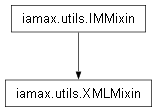
Mixin class that aggregates a bunch of attributes and methods related to XML data reading and preprocessing.
-
static
_ranges_to_cells_expliciter(str_: str, _opr: Callable = op.utils.rows_from_range)¶ Take Excel-like ranges string representations and turn them into sequence of atomic addresses.
- Parameters
str_ (str) – Range string representation to be processed.
_opr (Callable) – Private callable argument used to process
str_. Set toopenpyxl.utils.rows_from_range().
- Example
>>> XMLMixin._ranges_to_cells_expliciter('A1:A3')
('A1', 'A2', 'A3')
-
classmethod
_ranges_to_cells_indexer(cls, str_: str, full_output: bool = False, _opt: Callable = op.utils.coordinate_to_tuple)¶ Take Excel-like ranges string representations and turn them into sequence of atomic integer coordinates.
- Parameters
str_ (str) – Range string representation to be processed.
full_output (bool) – Whether transitory objects (required by the process) have to be returned in addition to the tuple of integer coordinates. Set to
Falseby default._opt (Callable) – Private callable argument used to process
str_. Set toopenpyxl.utils.coordinate_to_tuple().
- Example
>>> XMLMixin._ranges_to_cells_indexer('A1:A3')
((1, 1), (2, 1), (3, 1))
>>> XMLMixin._ranges_to_cells_indexer(
...     str_='A1:A3', full_output=True
... )
{'_': ((1, 1), (2, 1), (3, 1)), 'addrs': ('A1', 'A2', 'A3')}
-
classmethod
archivability_ensurer(cls, file_path: str, _ext: str = 'xlsx', _on_nt: bool = ON_WINDOWS)¶ Check whether a file path is related to an archive-like object and if not, try to convert it, eventually leading to the creation of a temporary file.
- Parameters
- Example
XLS files are typical of such non archive-like objects,
>>> xd = (
...     XMLMixin.archivability_ensurer('tests/tables.xls')
... )
Creating a temporary xlsx version of:
    tests/tables.xls ...
done
Important
This method requires Excel to be installed. Indeed, under the hood, the conversion is performed by using Excel as such.
Note
The temporary file is created within your operating system temporary directory.
-
classmethod
is_excel_file(cls, file_path: str)¶ Check whether a file path is that of an excel file.
- Parameters
file_path (str) – A character string representative of the file path to be tested.
Note
The checking does not rely at all on the verification of the file extension.
- Example
>>> XMLMixin.is_excel_file(
...     file_path = 'tests/tables.csv'
... )
False
>>> XMLMixin.is_excel_file(
...     file_path = 'tests/tables.xls'
... )
True
>>> XMLMixin.is_excel_file(
...     file_path = 'tests/tables.xlsx'
... )
True
-
classmethod
xl_file_type_asserter(cls, file_path: str)¶ Check whether a file path is that of an excel file and return its name if so. Return an error otherwise.
- Parameters
file_path (str) – A character string representative of the file path to be tested.
Note
The checking goes beyond the verification of the file extension.
- Example
>>> XMLMixin.xl_file_type_asserter(
...     file_path = 'tests/tables.csv'
... )
Traceback (most recent call last):
 ...
TypeError: 'tests/tables.csv' is not an excel file.
>>> XMLMixin.xl_file_type_asserter(
...     file_path = 'tests/tables.xls'
... )
'tests/tables.xls'
>>> XMLMixin.xl_file_type_asserter(
...     file_path = 'tests/tables.xlsx'
... )
'tests/tables.xlsx'
-
static
-
class
iamax.utils.Serializer(sdir: str = './__serialized/', **kws: str)¶ Class which type-aggregates a bunch of methods used to save the state of objects in a way that they can be later reconstructed or restored.
- Parameters
sdir (str) – Path for the serialization directory. Set to
__serializedby default.- Example
>>> Serializer(sdir=os.path.join('.dev', '.szd'))
Serializer[dill](".dev\.szd")
-
property
_ckle_save_dir(self)¶ sdir’s counterpart whose existence is ensured.
-
_ckles_glober(self, _pat_: str)¶ Return a list of
_ckle_save_dir-contained (serialized data) identifier mathing_pat_.
-
_ckles_glober_and_remover(self, _pat_: str)¶ Remove
_ckles_glober()’s findings.
-
_ckle_path_getter(self, _key_: str, ext: str = None)¶ s/e.
-
_ckle_remover(self, _key_: str)¶ Remove
_ckle_path_getter()’s finding.
-
_load_ckle(self, _key_: str)¶ Load
_key_-identified serialized data.
-
_dump_ckle(self, _key_: str, _value_: type)¶ Dump
_key_-identified serialized data.
-
_ckle_exist(self, _key_: str)¶ Check
_key_-identified serialized data’s existence.
-
_may_do(self, _key_: str, lambda_: Callable, _noisily: bool = NOISY_G)¶ Conditional executor of the
_key_-identified data generator.
-
_may_dump(self, _key_: str, _value_: type, **kws: type)¶ Conditional dumper of the
_key_-identified data generator.
-
_may_do_and_dump(self, _key_: str, lambda_: Callable, _cache: dict, **kws: type)¶ _may_do()and_may_dump()sequencer.
-
class
iamax.utils.Cache¶ 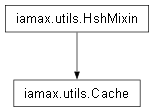
Bunch of decorator-methods whose job is to speed up processing. They are aggregated within a unique class for the simple sake of abstraction.
-
classmethod
property(cls, cname: str = '_cache', mname: str = '_mmzer', snames: (tuple|list)[str] = ())¶ Memoize outcomes of the so-decorated method, using its name as caching key.
- Parameters
- Example
>>> class_ = type(
...     'class_', (object,), {
...         '_c': {}, 'attr': Cache.property(cname='_c')(
...             meth=lambda cls: rd.random()
...          )
...     },
... )
>>> o = class_()
>>> o.attr == o.attr
True
-
static
_defargs_collecter(o: Callable, _empty: type = ip.Parameter.empty)¶ Get the arguments’ default values of a given function.
- Parameters
o (Callable) – Callable to be inspected.
_empty (type) – Private argument assigned at the class level. Set to
inspect.Parameter.empty.
- Example
>>> Cache._defargs_collecter(lambda a, b=1: None)
{'b': 1}
>>> c = type(
...     'c', (), {'__init__': lambda s, a=1: setattr(s, 'a', a)}
... )
>>> Cache._defargs_collecter(c)
{'a': 1}
-
classmethod
_mdefargs_collecter(cls, mname: str, owner: type)¶ Fetch the arguments’ default values from both the specified method and any inherited methods of the same name in parent classes.
- Parameters
- Example
>>> c0 = type(
...     'c0', (), {
...         'f': staticmethod(lambda b=1: None),
...         '__init__': lambda s, a=1: setattr(s, 'a', a),
...     }
... )
>>> Cache._mdefargs_collecter(owner=c0, mname='__init__')
{'a': 1}
>>> Cache._mdefargs_collecter(owner=c0, mname='f')
{'b': 1}
Let’s deal with the “inheritance” case.
>>> c1 = type(
...     'c1', (c0,), {
...         'f': staticmethod(lambda b=2, d=1: None),
...         '__init__': lambda s, c=2, **kws: (
...             super().__init__(**kws),
...         ),
...     }
... )
>>> Cache._mdefargs_collecter(owner=c1, mname='__init__')
{'a': 1, 'c': 2}
>>> Cache._mdefargs_collecter(owner=c1, mname='f')
{'b': 2, 'd': 1}
-
classmethod
method(cls, cname: str = '_cache', mname: str = '_mmzer', defaulted: bool = False, processor: Callable = None, snames: (tuple|list)[str] = (), notnone_kws: (tuple|list)[str] = (), omitted_ips: (tuple|list)[int] = (), omitted_kws: (tuple|list)[str] = ('verbose', ))¶ Memoize outcomes of the so-decorated method, using as dict-key identifier its (hashed) arguments.
- Parameters
cname (str) – Name of the cache attribute. Set to
'_cache'by default.mname (str) – Name of the (callable) memoizer. To
'_mmzer'by default.defaulted (bool) – Whether default arguments values are to be used for caching. Set to
Falseby default.processor (Callable) – Callable to be used over identifying arguments. Set to
Noneby default.snames (tuple or list) – Class- or instance attribute names whose associated values are to be used as salt data. Also passed to
processor, if any. To()by default.notnone_kws (tuple or list) – Sequence of keywords whose nullity prevents caching. Set
()by default.omitted_ips (tuple or list) – Sequence of integer-specified arguments’ positions not to be used as identifying elements. Set to
()by default. This argument impacts what is passed toprocessor.omitted_kws (tuple or list) – Sequence of keywords not to be used as identifying elements. Set to
('verbose',)by default. This argument impacts what is passed toprocessor.
- Example
>>> class_ = type(
...     'class_', (Cache, ), {
...         '_c': {}, 'meth': Cache.method(cname='_c')(
...             meth = lambda cls, to_be_hashed: rd.random()
...         )
...     },
... )
>>> o = class_()
>>> o.meth('to be hashed') == o.meth('to be hashed')
True
-
classmethod
-
class
iamax.utils.Symer(c: type, m: str, v: str = '', p: tuple[str]|dict[str, str] = (), x: types.NoneType|str|types.ModuleType = None, e: dict[type, type] = None, iargs: dict[str, type] = None, on_error: str = 'raise', sykws: dict[str, dict[str, type]] = None, **_kws: Callable)¶ Class that aggregates a bunch of methods related to numeric-to-symbolic class-owned class-level objects and methods bidirectional conversion.
- Parameters
c (type) – Method’s owner, uninstantiated.
m (str) – Method’s name.
v (str) – Method’s output’s name. Set to
''by default, which internally boils down tom.p (tuple) – Positional
m’s input signature. To()by default, which internally amounts to resorting to_method_input_signature().x (types.NoneType or str or types.ModuleType) – Subject-to-mocking array module to be used among
"numpy"or"jax.numpy". By default, which boils down to"numpy".e (dict) – Environment-like dictionary module-mocking has to take place within. By default, set to
None, which boils down toinspect.currentframe().f_back.f_globals.iargs (dict) – If any, (positional and keyword) arguments of instantiation, structured as
{'*': (), '**': {}}in its most complete form. ToNoneby default.on_error (str) – Behavior to adopt when a method call lies outside the intersection of the NumPy and Sympy APIs. Set to
'raise'by default. Options are'raise','return'and'noisily_return'. In the two latter cases, atraceback.TracebackExceptioninstance that embarks information about the error underlier is returned.sykws (dict) – Dictionary of dictionaries parameterizing each of the method’s argument’s
sympy.Symbolinstantiation. Set toNoneby default.
- Example
>>> class_ = type(
...     'class_', (), {
...         'a': staticmethod(
...             lambda e, d, c, b: b*c + d/e
...         ),
...     }
... )
>>> Symer(c=class_, m='a')
a = DivF(d, e) + b*c
-
_show_recipe(self)¶ s/e.
- Example
>>> class_ = type(
...     'class_', (), {
...         'a': staticmethod(
...             lambda b, c, d, e, i: b[i]*c + d/e
...         ),
...     }
... )
>>> s = Symer(c=class_, m='a', sykws={'i': {'integer': True}})
>>> s._show_recipe()
a = _IxBase('a')
b = _IxBase('b')
c = _IxBase('c')
d = _IxBase('d')
e = _IxBase('e')
i = _Symbol('i', integer=True)
-
property
symbols(self)¶ Sympy symbols counterpart of the method’s arguments.
- Example
>>> class_ = type(
...     'class_', (), {
...         'a0': staticmethod(lambda b, c, d, e: b*c + d/e),
...         'a1': classmethod(lambda _, e, d, c, b: b*c + d/e),
...         'a2': lambda _, e, d, c, b: b*c + d/e,
...     }
... )
>>> Symer(c=class_, m='a0', v='a').symbols
[a, b, c, d, e]
>>> Symer(c=class_, m='a1', v='a').symbols
[a, e, d, c, b]
>>> Symer(c=class_, m='a2', v='a').symbols
[a, e, d, c, b]
>>> Symer(c=class_(), m='a2', v='a').symbols
Traceback (most recent call last):
 ...
ValueError: Owner must be passed uninstantiated
-
property
expression(self)¶ Sympy algebraic equation representative of the method passed at instantiation.
- Example
>>> class_ = type(
...     'class_', (), {
...         'sq': staticmethod(lambda x: np.power(x, 2.)),
...         'a': classmethod(
...             lambda _, b, c, d, e: b*c + _.sq(d)/e
...         ),
...     }
... )
>>> Symer(c=class_, m='a').expression
-a + b*c + d**2.0/e
>>> sykws = {
...     'i': {'integer': True},
...     'j': {'integer': True},
... }
>>> class_ = type(
...     'class_', (), {
...         'a0': staticmethod(
...             lambda b, c, i, j: b.at[(i, j)].set(c)
...         ),
...         'a1': staticmethod(
...             lambda b, c, i, j: b.at[(i, j)].add(c).T
...         ),
...     }
... )
>>> Symer(c=class_, m='a0', sykws=sykws).expression
-a0 + b.at[(i, j)].set(c)
>>> Symer(c=class_, m='a1', sykws=sykws).expression
TransposeM(b.at[(i, j)].add(c)) - a1
-
classmethod
_ops_getter(cls, expr: sy.Basic, tpas: set[type] = {sy.Symbol}, collect: dict = None, reversed_: bool = False)¶ Recursively maps all elements of a Sympy expression to their class types.
- Parameters
expr (sympy.Basic) – A Sympy object or primitive to traverse. Handles symbolic expressions, tuples, lists, and basic Python types.
tpas (set) – Set of type to put aside. To
{sympy.Symbol}by default.collect (dict) – Accumulator dictionary for class mappings. Modified in-place during traversal. Set to
Noneby default, which internally boils down todict().reversed_ (bool) – Whether classes must be collected as mapping keys instead of being so as values. Set to
Falseby default.
- Example
>>> class_ = type(
...     'class_', (), {
...         'a': staticmethod(
...             lambda b, c, d, e, i: b[i]*c + d/e
...         ),
...     }
... )
>>> terms = (
...     Symer(c=class_, m='a', sykws={'i': {'integer': True}})
...     .expression.as_terms()[-1]
... )
>>> terms
[b[i], a, c, d, e]
>>> Symer._ops_getter(terms[0])
{b[i]: _Ix, b: <class '__main__.Symer._IxBase'>}
-
property
operands(self)¶ Sequence of (rearrangeable) operands.
- Example
>>> class_ = type(
...     'class_', (), {
...         'a': staticmethod(
...             lambda b, c, d, e, i: b[i]*c + d/e
...         ),
...     }
... )
>>> s = Symer(c=class_, m='a', sykws={'i': {'integer': True}})
>>> s.symbols
[a, b, c, d, e, i]
>>> s.operands
(a, b[i], c, d, e)
-
property
aliased_symbols(self, _tpas: set[type] = __tpas, _tois: set[type] = __tois)¶ Surjective dictionary of operands.
- Parameters
- Example
>>> class_ = type(
...     'class_', (), {
...         'sq': staticmethod(lambda x: np.power(x, 2.)),
...         'a': classmethod(
...             lambda _, b, c, d, e, i: b[i]*c + _.sq(d)/e
...         ),
...     }
... )
>>> s = Symer(c=class_, m='a', sykws={'i': {'integer': True}})
>>> s.aliased_symbols
{'a': a, 'b': b[i], 'b[i]': b[i], 'c': c, 'd': d, 'e': e, 'i': i}
-
property
symbols_dependencies(self)¶ Dictionary that states the interrelations between symbols, primarily index-to-indexed relationships.
- Example
>>> class_ = type(
...     'class_', (), {
...         'sq': staticmethod(lambda x: np.power(x, 2.)),
...         'a': classmethod(
...             lambda _, b, c, d, e, i: b[i]*c + _.sq(d)/e
...         ),
...     }
... )
>>> s = Symer(c=class_, m='a', sykws={'i': {'integer': True}})
>>> s.symbols_dependencies
{b: (i,)}
-
_left_hand_sider(self, v: str|type, _nλ: type = _ut._defargs_collecter(_sôlve)['_oλ'], _go_: bool = False)¶ Private caching counterpart of
left_hand_sider().
-
left_hand_sider(self, v: str|type, _filter_usols: bool = True, **_kws: type)¶ Rearrange
expressionso that the variable of interest appears on the left hand side.- Parameters
- Example
>>> class_ = type(
...     'class_', (), {
...         'sq': staticmethod(lambda x: np.power(x, 2.)),
...         'a': classmethod(
...             lambda _, b, c, d, e, i: b*c + _.sq(d[i])/e
...         ),
...     }
... )
>>> s = Symer(c=class_, m='a')
>>> s.aliased_symbols
{'a': a, 'b': b, 'c': c, 'd': d[i], 'd[i]': d[i], 'e': e, 'i': i}
>>> s.left_hand_sider('a')
[DivF(d[i]**2.0, e) + b*c]
>>> s.left_hand_sider('d')
[((a - b*c)*e)**0.5]
>>> sykws = {
...     'i': {'integer': True},
...     'j': {'integer': True},
... }
>>> class_ = type(
...     'class_', (), {
...         'a0': staticmethod(
...             lambda b, c, i, j: b.at[(i, j)].set(c)
...         ),
...         'a1': staticmethod(
...             lambda b, c, i, j: b.at[(i, j)].add(c).T
...         ),
...         'a2': classmethod(
...             lambda _, b, c, i, j: _.a1(b, c, i, j).T
...         )
...     }
... )
>>> Symer(c=class_, m='a0', sykws=sykws).left_hand_sider('a0')
[b.at[(i, j)].set(c)]
>>> Symer(c=class_, m='a1', sykws=sykws).left_hand_sider('a1')
[TransposeM(b.at[(i, j)].add(c))]
>>> Symer(c=class_, m='a2', sykws=sykws).left_hand_sider('a2')
[b.at[(i, j)].add(c)]
-
property
right_hand_side(self)¶ Canonicalized call of
left_hand_sider().- Example
>>> class_ = type(
...     'class_', (), {
...         'a': staticmethod(lambda b, c: b + c),
...         'd': classmethod(lambda _, b, c: b + c/_.sq(c)),
...     }
... )
>>> Symer(c=class_, m='a').right_hand_side
b + c
>>> str(Symer(c=class_, m='d', on_error='return').right_hand_side)
"type object 'class_' has no attribute 'sq'"
-
property
right_hand_side_deepen(self)¶ s/e.
-
_lambdifier(self, **_kws: bool)¶ Partialized version of
sympy.lambdify.- Parameters
**_kws (bool) – Private (undocumented) keyword arguments, if any.
- Example
>>> class_ = type(
...     'class_', (), {
...         'sq': staticmethod(lambda x: np.power(x, .5)),
...     }
... )
>>> s0 = Symer(c=class_, m='sq')
>>> e = s0.right_hand_side
>>> e
x**0.5
>>> s0._lambdifier()(expr=e, args='x')(-1).imag
1.0
>>> s1 = Symer(c=class_, m='sq', x='numpy')
>>> s1._lambdifier()(expr=e, args='x')(-1j).imag
-0.7071067811865476
>>> s2 = Symer(c=class_, m='sq', x=np)
>>> s2._lambdifier()(expr=e, args='x')(-2j).imag
-1.0000000000000002
-
lambda_of(self, *, bname: str, expr: sy.Basic, **_kws: bool)¶ s/e.
- Parameters
bname (str) – Uid-suffixed base name of the callable that results from the lambdification.
expr (sympy.Basic) – Expression to be lambdified.
**_kws (bool) – See
_lambdifier()for details.
- Example
>>> class_ = type(
...     'class_', (), {
...         'sq': staticmethod(lambda x: np.power(x, 2.)),
...     }
... )
>>> s = Symer(c=class_, m='sq', x='numpy')
>>> e = s.right_hand_side
>>> f = s.lambda_of(expr=e**.5, bname='sqrtd')
>>> f
<function sqrtd_...>
>>> f(-4)
4.0
-
class
iamax.utils.Archiver(file_path: str)¶ 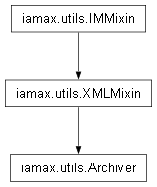
Class that aggregates a bunch of attributes and methods related to metadata reading and preprocessing.
-
__getitem__(self, sheet_name: str)¶ Worksheets accessor that dict-wraps the outputs of
iloc_comments(),iloc_styles(). andiloc_hyperlinks().- Parameters
sheet_name (str) – Name of the worksheet of interest.
- Returns
A 4-key dictionary whose first value is related to data as such, and the other tree to meta-data such as hyperlinks, comments and styles.
- Example
>>> xd = Archiver('tests/tables.xlsx')
>>> dict_ = xd['metaed']
>>> for k, v in dict_.items():
...     print(k.ljust(15), type(v))
styles          <class 'dict'>
comments        <class 'dict'>
hyperlinks      <class 'dict'>
-
close(self)¶ Close/remove all the files/archetypes that have been created/opened during the reading process.
- Example
>>> o = Archiver('tests/tables.xlsx')
>>> o.close()
-
property
archive(self)¶ Archive representation of xls[xm] files.
- Example
>>> xd = Archiver('tests/tables.xlsx')
>>> xd.archive
<zipfile.ZipFile filename='tests/tables.xlsx' mode='r'>
-
iloc_styles(self, sheet_name: str, _opt: Callable = op.utils.coordinate_to_tuple)¶ Map cells styles found in the worksheet of interest to their (integer) coordinates.
- Parameters
sheet_name (str) – Name of the worksheet of interest.
_opt (Callable) – Private argument assigned at the class level. Set to
openpyxl.utils.coordinate_to_tuple().
- Example
>>> xd = Archiver('tests/tables.xlsx')
We are interested in the styles of cells contained in the sheet named
'metaed',>>> loc_stls = xd.iloc_styles('metaed') >>> len(loc_stls) 24
Many cells are styled, let(s focus on, say the one located at
E4.>>> IMMixin.otbprint(loc_stls[(4, 5)]) { "r": "E4", "s.alignment.horizontal": "center", "s.alignment.vertical": "center", "s.apply_alignment": "1", "s.apply_font": "1", "s.border_id": "0", "s.fill_id": "0", "s.font_id": "20", "s.num_fmt_id": "0", "s.xf_id": "1", "v": "1010" }
-
iloc_hyperlinks(self, sheet_name: str, _opt: Callable = op.utils.coordinate_to_tuple)¶ Map hyperlinks found in the worksheet of interest to their (integer) coordinates.
- Parameters
sheet_name (str) – Name of the worksheet of interest.
_opt (Callable) – Private argument assigned at the class level. Set to
openpyxl.utils.coordinate_to_tuple().
- Example
>>> xd = Archiver('tests/tables.xlsx')
We are interested in the hyperlinks contained in the sheet named
'metaed',>>> loc_hpls = xd.iloc_hyperlinks('metaed')
All hyperlinks are accessible by their integer coordinates, i.e. their location within the sheet (hence the use of the prefix loc),
>>> sorted(loc_hpls)
[(4, 5)]
We see above that the sheet named metaed has a hyperlink located at row 4 and column 5, i.e. cell E4,
>>> IMMixin.otbprint(loc_hpls[(4, 5)])
{
  "target": "https://actulegales.fr/recherche/siren/840337927",
  "target_mode": "External"
}
-
iloc_comments(self, sheet_name: str, _opt: Callable = op.utils.coordinate_to_tuple)¶ Map comments found in the worksheet of interest to their (integer) coordinates.
See also
- Parameters
sheet_name (str) – Name of the worksheet of interest.
- Example
>>> xd = Archiver('tests/tables.xlsx')
We are interested in the comments contained in the sheet named
'metaed',>>> loc_coms = xd.iloc_comments('metaed')
All comments are accessible by their integer coordinates, i.e. their location within the sheet (hence the use of the prefix iloc),
>>> sorted(loc_coms)
[(0, 0), (5, 5)]
It urns out the sheet named metaed has a comment located at row 5 and column 5, i.e. cell E5,
>>> IMMixin.otbprint(loc_coms[(5, 5)])
{
  "author_id": "0",
  "ref": "E5",
  "shape_id": "0",
  "text.r.0.r_pr.color.indexed": "81",
  "text.r.0.r_pr.family.val": "2",
  "text.r.0.r_pr.r_font.val": "Tahoma",
  "text.r.0.r_pr.sz.val": "9",
  "text.r.0.t": "Laurent Faucheux:",
  "text.r.1.r_pr.color.indexed": "81",
  "text.r.1.r_pr.family.val": "2",
  "text.r.1.r_pr.r_font.val": "Tahoma",
  "text.r.1.r_pr.sz.val": "9",
  "text.r.1.t.#text": "Lo10 in base 10 (?)",
  "text.r.1.t.xml:space": "preserve",
  "texts": [
    "Lo10 in base 10 (?)"
  ],
  "xr:uid": "{291458A2-409B-4A48-BF6B-CA07E02A7A02}"
}
The other comment is located at
(0, 0), which is not a valid worksheet location admittedly but allows us to finally deal with a dictionary whose keys are all of the same type, i.e. a homogeneous tuple of integers.>>> IMMixin.otbprint(loc_coms[(0, 0)]) { "authors.author": "LAURENT FAUCHEUX", ... "xmlns": "schemas.openxmlformats.org/spreadsheetml/2006/main", ... }
-
-
class
iamax.utils.ExoData¶ 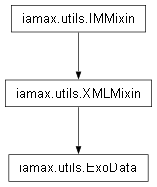
Static class that aggregates a bunch of attributes and methods related to data reading and preprocessing.
-
classmethod
xl_file_getter(cls, file_path: str, engine: str = 'pandas')¶ Preset and augmented wrapper of
pandas.ExcelFileand oropenpyxl.load_workbook().- Parameters
- Example
>>> pd_file_obj = ExoData.xl_file_getter(
...     file_path='tests/tables.xlsx', engine='pandas'
... )
>>> type(pd_file_obj)
<class 'pandas.ExcelFile'>
>>> op_file_obj = ExoData.xl_file_getter(
...     file_path='tests/tables.xlsx', engine='openpyxl'
... )
>>> type(op_file_obj)
<class 'openpyxl.workbook.workbook.Workbook'>
Method
__repr__has been overwritten identically for both classes,>>> str(pd_file_obj) == str(op_file_obj) True
>>> pd_file_obj
{
  "category": "A category.",
  "contentStatus": null,
   ...
  "description": "Some elements of description",
  "identifier": null,
  "keywords": "KeywordA; KeywordB",
   ...
  "revision": null,
  "subject": "Object of the file.",
  "title": "Title of the file.",
  "version": "1"
}
Which representation actually derives from a
propertiesattribute, rewritten to be identical between types.>>> pd_file_obj.properties == op_file_obj.properties True
Since we haven’t use a context, let’s not forget to close the two files when we are done.
>>> pd_file_obj.close()
>>> op_file_obj.close()
-
classmethod
_file_or_path_dealer(cls, file_path_or_obj: str|op.Workbook|pd.ExcelFile|io.BytesIO, engine: str = 'pandas')¶ Take a file path or an opened file instance and surjectively return an opened file instance. This method may act as identity.
- Parameters
file_path_or_obj (str, op.Workbook, pd.ExcelFile or io.BytesIO) – File path or opened file instance.
engine (str) – Module name that indicates the approach to be followed to open
file_path_or_objin case it is ofstrtype. Options are'openpyxl'(cf.openpyxl) and'pandas'(cf.pandas). Set to'pandas'by default.
Note
This method is not intended to be used publicly.
-
classmethod
xl_2dtables_pd_reader(cls, file_path_or_obj: str or pd.ExcelFile, sheet_name: str, index_name: str = None, cols_renamer: Callable = None, only_nums: bool = True)¶ Read excel data and preprocess them with the intention of returning a 2d-indexed dataframe.
- Parameters
file_path_or_obj (str or pd.ExcelFile) – Either the full path of the excel file to be read (be it absolute or relative) or an
pandas.ExcelFileinstance, such as thatxl_file_getter()returns by default.sheet_name (str) – Name of the sheet that contains data.
index_name (str) – Name of the column to be used as data vertical index. Set to
Noneby default, not recommended though.cols_renamer (Callable) – Function to be used to preprocess column names in case they are not ‘usage-friendly’. Set to
Noneby default.only_nums (bool) – Specify whether only numerical data must be kept. Set to
Trueby default.
Todo
Explicit types, especially that of
cols_renamer.Should be good to generalize
cols_renamerinto something likecoords_renamerthat would allow to deal both with indexes and columns. Probably better to stick to the YAGNI principle though…
- Example
Let’s first define the arguments that will be used to tell:
exactly where our data lie on the disk,
the name of the sheet to read,
the column name to consider as vertical indexer,
how to preprocess column names since they are not ‘usage-friendly’,
that we are only interested in getting the numerical data, i.e. we do not mind about, say, series name or code.
In the example that follows, the file
'.gdp_ppp.xlsx'comes from the World Development Indicators database.>>> df0 = ExoData.xl_2dtables_pd_reader( ... file_path_or_obj = 'examples/_wdi/.gdp_ppp.xlsx', ... sheet_name = 'Data', ... index_name = 'Country Code', ... cols_renamer = lambda cn : cn[:4], ... only_nums = True, ... )
As outlined by the name of the first argument, i.e.
file_path_or_obj, we could also have passed an instance ofpandas.ExcelFileto get a dataframe identical todf0,>>> file_obj = ExoData.xl_file_getter( ... 'examples/_wdi/.gdp_ppp.xlsx' ... ) >>> df = ExoData.xl_2dtables_pd_reader( ... file_path_or_obj = file_obj, ... sheet_name = 'Data', ... index_name = 'Country Code', ... cols_renamer = lambda cn : cn[:4], ... only_nums = True, ... )
The lambda function above does the job of taking the first four characters of
'1962 [YR1962]'-like columns. We of course do that on the basis of our preliminary observation of the input file.>>> df.at['USA', 2000].item() 12883893656329.066
We may want to work with the transpose of such data,
>>> df_t = df.T
>>> df_t.loc[:, ('USA', 'CHN')].describe()
Country Code       USA       CHN
count         2.90e+01  2.90e+01
mean          1.37e+13  9.03e+12
std           2.76e+12  6.49e+12
min           9.18e+12  1.73e+12
25%           1.13e+13  3.70e+12
50%           1.41e+13  6.67e+12
75%           1.55e+13  1.39e+13
max           1.82e+13  2.25e+13
and visualize data,
>>> df.loc[
...     ('CHN', 'USA', 'FRA'), 2000
... ].plot(kind='bar')
>>> plt.show()
-
classmethod
xl_ndtables_pd_reader(cls, file_path_or_obj: str|pd.ExcelFile|io.BytesIO, sheet_name: str, *, max_dim: int = 20, sanitize_strs: bool = True, to_nums: bool = True, to_stdtypes: bool = False, dropna: bool = False, frame_addrs: bool = False, _opg: Callable = op.utils.get_column_letter)¶ Read excel data and preprocess them with the intention of returning a multi-indexed dataframe, i.e. a labeled array.
- Parameters
file_path_or_obj (str or io.BytesIO or pd.ExcelFile) – Either the full path of the excel file to be read (be it absolute or relative), a
io.BytesIOinstance or apandas.ExcelFileinstance, such as thatxl_file_getter()returns by default.sheet_name (str) – Name of the sheet that contains data.
max_dim (int) – Maximum array dimensionality to be checked when agnostically reading data. Set to
20by default.sanitize_strs (bool) – Specify whether found labels are to be sanitized. To
Trueby default.to_nums (bool) – Specify whether all data must be coerced into numerics. Set to
Trueby default.to_stdtypes (bool) – Whether Python built-in types are to be evaluated instead of directly being omitted and returned as
NaNin theto_nums=Truecase. Set toFalseby default.dropna (bool) – Whether the
NaNrows and columns of the returned table must be dropped out. Set toFalseby default. Following the YAGNI principle, this argument is currently inoperative in theto_stdtypes=Truecase.frame_addrs (bool) – Whether an instance of
pandas.DataFramethat stores scalars’ addresses in the same label space is to be created. Set toFalseby default._opg (type) – Private argument assigned at the class level. Set to
openpyxl.utils.get_column_letter.
Note
This method i) wrapps
str_sanitizer(), which standardizes all names by removing ‘unsafe’ characters and replacing space-like ones by'_'and ii) keeps track viapandas.DataFrame.attrsof non-numerical values subject to replacement/removal as soon asto_nums,to_stdtypesordropnaisTrue, under the key'traced_values'.- Example
Input Output Tables are (2d-projected) tensors in their most general form. Let’s deal with one of those.
>>> file_obj = ExoData.xl_file_getter(
...     'examples/_leg/.iots.xlsx'
... )
>>> iot_a = ExoData.xl_ndtables_pd_reader(
...     file_path_or_obj = file_obj,
...     sheet_name       = 'IOT_A',
... )
>>> iot_a
                       ic          fc
                       ic           c          e     f
                composite energy    c    g     i     x
ic ic composite       0.0    1.0  2.0  3.0   4.0   5.0
      energy          6.0    7.0  8.0  9.0  10.0  11.0
pf g  l_net          12.0   13.0  NaN  NaN   NaN   NaN
      l_taxes        14.0   15.0  NaN  NaN   NaN   NaN
      y_taxes        16.0   17.0  NaN  NaN   NaN   NaN
   h  k              18.0   19.0  NaN  NaN   NaN   NaN
      r              20.0   21.0  NaN  NaN   NaN   NaN
m  m  m              22.0   23.0  NaN  NaN   NaN   NaN
Note that in sheet ‘IOT_A’, the cells that contain the coordinates of the table are merged. That being said,
file_objhas another sheet, named ‘IOT_Abis’, with the exact same data and coordinates, excepted that the latter are repeated instead of merged, see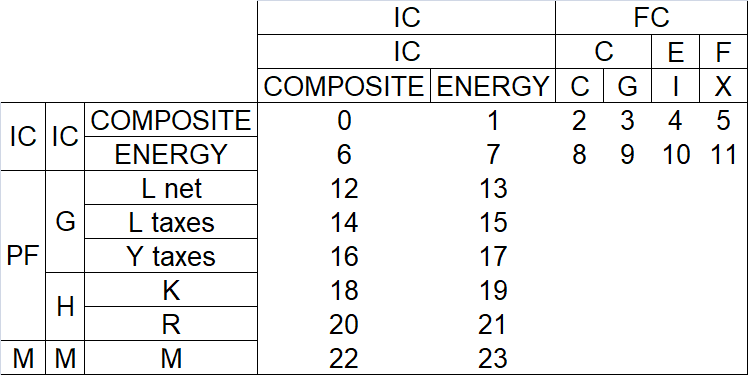
Merged Coordinates. 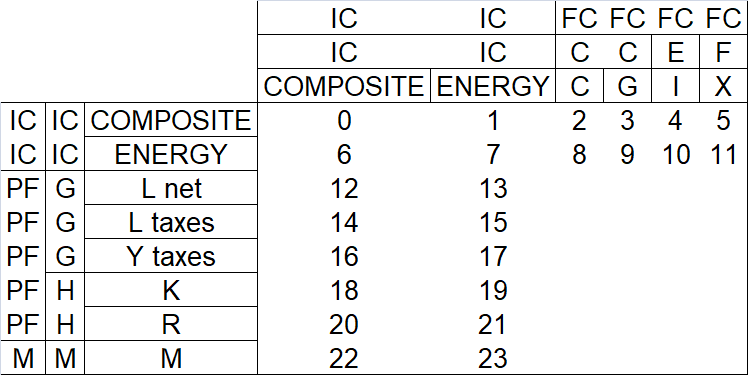
Repeated Coordinates. At the code level, it changes nothing,
>>> iot_abis = ExoData.xl_ndtables_pd_reader(
...     file_path_or_obj = file_obj,
...     sheet_name       = 'IOT_Abis',
...     frame_addrs      = True
... )
>>> iot_abis
                       ic          fc
                       ic           c          e     f
                composite energy    c    g     i     x
ic ic composite       0.0    1.0  2.0  3.0   4.0   5.0
      energy          6.0    7.0  8.0  9.0  10.0  11.0
pf g  l_net          12.0   13.0  NaN  NaN   NaN   NaN
      l_taxes        14.0   15.0  NaN  NaN   NaN   NaN
      y_taxes        16.0   17.0  NaN  NaN   NaN   NaN
   h  k              18.0   19.0  NaN  NaN   NaN   NaN
      r              20.0   21.0  NaN  NaN   NaN   NaN
m  m  m              22.0   23.0  NaN  NaN   NaN   NaN
Notice the
frame_addrs=Trueabove. This has told the method to save scalars addresses (aspandas.DataFrameinstance). They are accessible through thepandas.DataFrame.attrsattribute, keyed as'addresses'.>>> iot_abis.attrs['addresses'] ic fc ic c e f composite energy c g i x ic ic composite D4 E4 F4 G4 H4 I4 energy D5 E5 F5 G5 H5 I5 pf g l_net D6 E6 F6 G6 H6 I6 l_taxes D7 E7 F7 G7 H7 I7 y_taxes D8 E8 F8 G8 H8 I8 h k D9 E9 F9 G9 H9 I9 r D10 E10 F10 G10 H10 I10 m m m D11 E11 F11 G11 H11 I11
-
classmethod
-
class
iamax.utils.ExoTreeData¶ 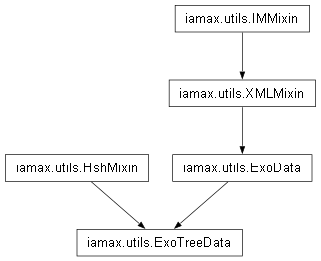
Static class that aggregates a bunch of attributes and methods related to data reading and preprocessing from excel contained tree-structured data.
-
classmethod
_op_cells_typer(cls, o: str, paside: tuple[str] = (), _f2a_delim: str = F2ARGS_DELIM)¶ Infer whether the passed object is evaluable as a built-in type.
-
classmethod
_op_cells_unmerger(cls, sheet_obj: op.Worksheet, full_output: bool = True, _cell_cls: type = op.Cell, _nsym: str = NULL_SYM)¶ Explode merged cells.
- Parameters
sheet_obj (op.Worksheet) –
openpyxl.worksheet.worksheet.Worksheetinstance to be processed.full_output (bool) – Whether transitory objects (required by the process) have to be returned. In the
full_output=Falsecase no output is returned since the method works in place. Set toTrueby default._cell_cls (type) – Private argument assigned at the class level. Set to
openpyxl.cell.cell.Cell._nsym (str) – Idem. Set to
NULL_SYM.
Note
This method works on
sheet_objin place and isn’t intended to be used publicly.
-
classmethod
xl_ndtrees_to_ndtables_converter(cls, file_path_or_obj: str or op.Workbook, sheet_name: str, already_unmerged: bool = False, **_kws: type)¶ Convert an
openpyxl.workbook.workbook.Workbookinstance into itspandas.DataFramecounterpart, taking care of the specificities of tree-structured data.- Parameters
file_path_or_obj (str or op.Workbook) – Either the full path of the excel file to be read or a
openpyxl.workbook.workbook.Workbookinstance, such as thatxl_file_getter()can return.sheet_name (str) – Name of the sheet that contains data.
already_unmerged (bool) – Whether
file_path_or_obj[sheet_name]has already been processed by_op_cells_unmerger(). The process of conversion indeed requires it to be composed of atomic cells only. Set toFalseby default.**_kws (type) – Internal keyword arguments passed to (wrapped) methods such as
xl_ndtables_pd_reader().
Note
If
file_path_or_objis ofstrtype and that none of the tabulated values we are interested in are contained in merged cells, then there is a priori no reason not to usexl_ndtables_pd_readerdirectly.- Example
Even if the output is going to have no practical use, let’s read a table that has numerical values contained in merged cells. A screenshot follows.
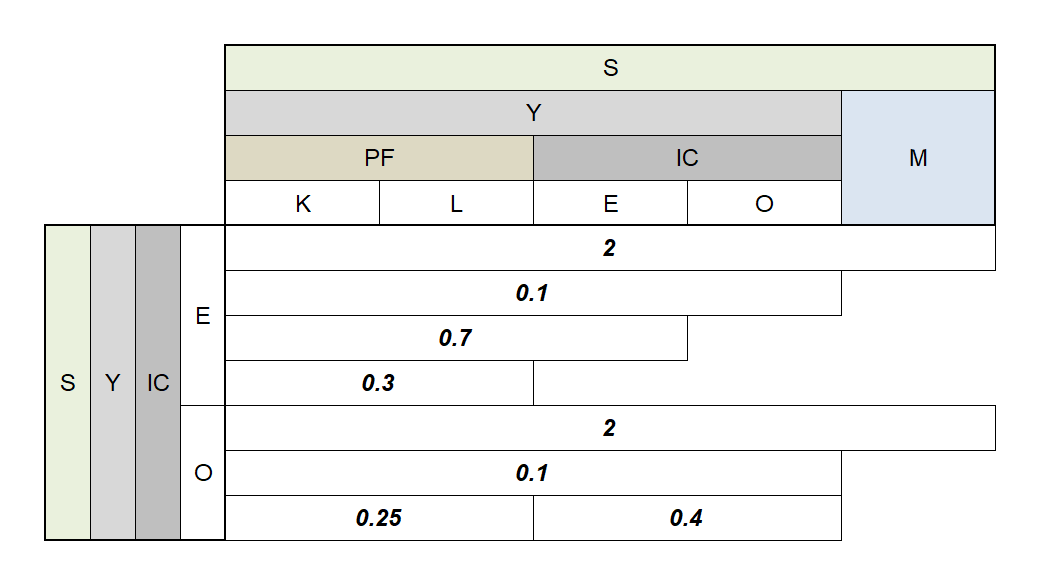
Merged Values. >>> ExoTreeData.xl_ndtrees_to_ndtables_converter( ... file_path_or_obj = 'examples/_leg/.empiricals.xlsx', ... sheet_name = '1D-parameters' ... ) s y m pf ic m k l e o m s y ic e 2.00 2.00 2.0 2.0 2.0 e 0.10 0.10 0.1 0.1 NaN e 0.70 0.70 0.7 NaN NaN e 0.30 0.30 NaN NaN NaN o 2.00 2.00 2.0 2.0 2.0 o 0.10 0.10 0.1 0.1 NaN o 0.25 0.25 0.4 0.4 NaN
By opposition, with such table, using the method
xl_ndtables_pd_reader()directly would not have taken care of the merged numerical values.
-
static
_nested_edges_composer(edges: dict, disjoint: bool = True)¶ Map edges to their explicit nested structures.
- Parameters
- Example
>>> edges = {
...     (1, 2, 3, 4, 5): [
...         (1, 2, 3), (4, 5)
...     ],
...     (1, 2, 3): [
...         (1, 2)
...     ]
... }
>>> ExoTreeData._nested_edges_composer(edges)
{(1, 2, 3, 4, 5): [(1, 2, 3), (4, 5)], (1, 2, 3): [(1, 2), (3,)]}
The method checks by default that subsets are disjoint and raises an error otherwise.
>>> edges = {
...     (1, 2, 3, 4, 5): [
...         (1, 2), (2, 4, 5)  # Overlapping subsets.
...     ]
... }
>>> _ = ExoTreeData._nested_edges_composer(edges)
Traceback (most recent call last):
 ...
LookupError: Sets overlapping is not permitted
Which default behavior can be changed by setting
>>> ExoTreeData._nested_edges_composer(
...     edges=edges, disjoint=False
... )
{(1, 2, 3, 4, 5): [(1, 2), (2, 4, 5), (3,)]}
-
static
_nested_edges_maker(tuples: list, on_error: str = 'raise')¶ Explicit the nested structure of tuples.
- Parameters
tuples (list or tuple) – Sequence of tuples whose nested interrelations are to be explicited.
on_error (str) – Behavior to be adopted by the method when detecting multiple eligible root keys. Options are
'raise'and'return'. Set to'raise'by default. Return a list of the eligible root keys otherwise, error or not for the sake of consistency.
- Example
>>> edges, root_key= ExoTreeData._nested_edges_maker(
...     tuples=[
...         (1, 2, 3, 4, 5),
...         (3, 4, 5),
...         (3, 4), (1, 2),
...     ]
... )
The method returns two objects: i) a dictionary that consists in the edges as such and ii) the most upstream element of
tuples, namelyroot_keyin the above example box. There should be oneroot_key, otherwise aValueErroris raised by default.>>> root_key (1, 2, 3, 4, 5)
>>> ExoTreeData.otbprint(edges)
{
  "(1, 2, 3, 4, 5)": [
    [
      3,
      4,
      5
    ],
    [
      1,
      2
    ]
  ],
  "(3, 4, 5)": [
    [
      3,
      4
    ]
  ]
}
-
static
_level_keys_combiner(coords: tuple or list, delim: str = COORDS_DELIM, on_error: str = 'raise', sort: bool = True)¶ Take n-level locations and combine their non-unique components.
- Parameters
coords (list or tuple) – Sequence of coordinates to be processed.
delim (str) – Delimiter to be used for the concatenation of keys. Set to
COORDS_DELIMby default.on_error (str) – Action to be undertaken in the
ValueErrorcase. Options are'raise'or'identity'. Set to'raise'by default.sort (bool) – Whether
coords’s components must be sorted. Set toTrueby default.
- Example
>>> ExoTreeData._level_keys_combiner(
...     delim='&', coords=[
...         ('y', 'pf', 'k'),
...         ('y', 'pf', 'l'),
...     ],
... )
('y', 'pf', 'k&l')
This method has to coerce subcomponents of
coordsinto string so as to perform the concatenations.>>> ExoTreeData._level_keys_combiner( ... delim='&', coords=[ ... (0, 1, 2), ... (0, 1, 3), ... ], ... ) ('0', '1', '2&3')
Note that the elements of
coordsmust have the same length, otherwise the method raises an error.>>> ExoTreeData._level_keys_combiner( ... delim='&', coords=[ ... ('y', 'pf', 'k'), ... ('y', 'pf'), ... ], ... ) Traceback (most recent call last): ... ValueError: `coords`'s elements must have the same length: ([('y', 'pf', 'k'), ('y', 'pf')])
The method can rather be identity instead of raising a
ValueError.>>> ExoTreeData._level_keys_combiner( ... delim='&', on_error='identity', coords=[ ... ('y', 'pf', 'k'), ... ('y', 'pf'), ... ], ... ) [('y', 'pf', 'k'), ('y', 'pf')]
-
static
_tree_builder(edges: dict, root_key: type, data: dict = None, dgen: Callable = None)¶ Instantiate a
anytree.node.node.Nodeobject from a sequence of edges.- Parameters
edges (dict) – Dictionary of edges whose key-values consist in branch-leafs pairs, such as those returned by
_nested_edges_maker().root_key (type) – Key of
edgesthat must be considered as the root identifier of the tree.data (dict) – Dictionary of data – with the same keys as
edges– to be attributed to the nodes of the tree. Set toNoneby default, i.e. no data.dgen (Callable) – Callable that, for any node instance, returns a data dictionary to be attributed. By default set to
Nonei.e. no data to be derived.
Note
dgen, if any, is called after thedataattribution, meaning that the former can compose over the latter.- Example
>>> tree = ExoTreeData._tree_builder( ... root_key=100, edges={ ... 100: [110, 120], ... 110: [111, 112], ... 120: [121], ... } ... )
The
anytree.node.node.Nodeinstance we now have in hand, namelytree, allows for producing visualizations such as>>> import anytree as at >>> for pre, fill, node in at.RenderTree(tree): ... print(f"{pre}{node.name}") 100 ├── 110 │ ├── 111 │ └── 112 └── 120 └── 121
The same example, but enriched with data.
>>> tree = ExoTreeData._tree_builder( ... root_key=100, edges={ ... 100: [110, 120], ... 110: [111, 112], ... 120: [121], ... }, data={ ... 100: {'s': ' *'}, ... 110: {'s': ' *'}, ... 110: {'s': ' °°'}, ... 111: {'s': ' ¤¤'}, ... 112: {'s': ' --'}, ... 120: {'s': ' +++'}, ... 121: {'s': ' ***'}, ... } ... ) >>> for pre, fill, node in at.RenderTree(tree): ... print(f"{pre}{node.name}{node.s}") 100 * ├── 110 °° │ ├── 111 ¤¤ │ └── 112 -- └── 120 +++ └── 121 ***
Once again, but enriched with a data-producing callable.
>>> tree = ExoTreeData._tree_builder( ... root_key=100, edges={ ... 100: [110, 120], ... 110: [111, 112], ... 120: [121], ... }, ... dgen=lambda n: {'name_s': f'{n.parent.name}─{n.name}'} ... ) >>> for pre, fill, node in at.RenderTree(tree): ... print(f"{pre}{node.name_s}") Ø─100 ├── 100─110 │ ├── 110─111 │ └── 110─112 └── 100─120 └── 120─121
Note that even the most upstream node actually has a parent named
'Ø', not intended to be handled directly though.
-
classmethod
_trees_builder_kwargs_maker(cls, data: dict)¶ Build the keyword arguments required by
_tree_builder().- Parameters
data (dict) – Dictionary of data at the source of the tree’s constitutive elements.
- Example
>>> data0 = { ... (1, 0, 0): [(1, 1, 0), (1, 2, 0)], ... (1, 1, 0): [(1, 1, 1), (1, 1, 2)], ... (1, 2, 0): [(1, 2, 1)], ... } >>> kwargs, *_ = ExoTreeData._trees_builder_kwargs_maker( ... data=data0 ... )
Let’s first observe that only one tree has been found.
>>> _ []
kwargsindeed contains all the arguments required by_tree_builder(), i.e.>>> sorted(kwargs) ['data', 'dgen', 'edges', 'root_key']
Of which
datais exactlydata0>>> kwargs['data'] == data0 True
edgesandroot_keyare as returned by_nested_edges_maker(),>>> kwargs['root_key'] (1, 2, 0) >>> kwargs['edges'] {(1, 2, 0): [(1, 1, 0)], (1, 1, 0): [(1, 0, 0)]}
And
dgenis the data-generating callable defined for_tree_builder()>>> type(kwargs['dgen']) <class 'functools.partial'>
-
classmethod
xl_ndtrees_op_reader(cls, file_path_or_obj: str|op.Workbook, sheet_name: str, mode: str = 'g', *, datumize: bool = False, sort: bool = False, as_mgraph: bool = False, _rsider: Callable = __rsider)¶ Read excel tree data and preprocess them with the intention of returning their graph-friendly version.
- Parameters
file_path_or_obj (str or op.Workbook) – Either the full path of the excel file to be read or a
openpyxl.workbook.workbook.Workbookinstance such as thatxl_file_getter()can return.sheet_name (str) – Name of the sheet that contains data.
mode (str) – Reading mode, either
'a'gnostic or'g'nostic. Set to ‘g’ by default.datumize (bool) – Whether trees are to be rendered as sets of independent branches (instead of being so explicitly). Setting this argument to
Falsein conjunction withmode='a'is not implemented. Set toFalseby default.sort (bool) – Whether to sort nodes depending lexicographically on their dependency seniority and name. To
Falseby default.as_mgraph (bool) – Whether trees are actually to be defined further as multigraph nodes. Set to
Falseby default._rsider (Callable) – Private argument assigned at the class level. Set to
lambda o, λ=HshMixin._str_safe_hash: λ(o)[:-2:3].
- Example
>>> forest = ExoTreeData.xl_ndtrees_op_reader( ... file_path_or_obj = 'examples/_leg/.empiricals.xlsx', ... sheet_name = 'aggregation-rules', ... )
The following picture shows how the content we read above primarily looks like.
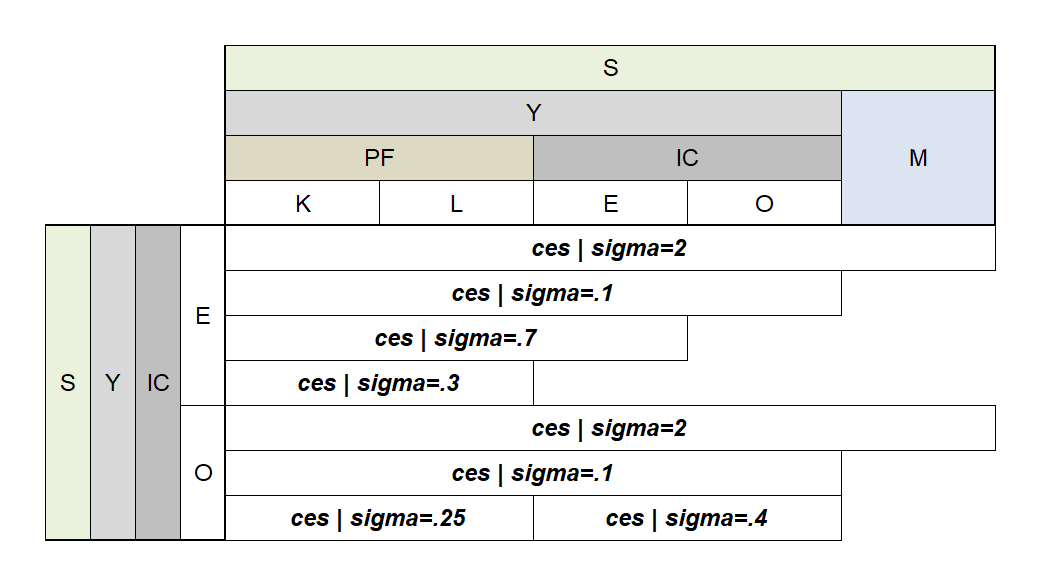
Tabulated Tree. forestconsists of a list of items whose first (non unique) elements map to the trees found in the read table. In the current case, we have one tree of parameters per sector.>>> tkeys, tobjs = zip(*forest) >>> tkeys (('s', 'y', 'ic', 'e'), ('s', 'y', 'ic', 'o')) >>> tree_key, tree_obj = forest[0]
tree_objis aanytree.node.node.Nodeinstance related to the highest aggregate of the tree, whoseagg_ruleattribute consists of two objects. The first is the name of the aggregator function, which must first be defined as class method ofAggregators. The second argument is a dictionary object that consists in the (keyword) parameters to be used with the aggregator.>>> type(tree_obj) <class 'anytree.node.node.Node'> >>> tree_obj.agg_rule ('ces', {'sigma': 2})
It reads above that the aggregator to be used is the “ces” one, which actually is a class method of
Aggregators, namelyconstant_elasticity_of_substitution(), aliased byces(). Note that an error would have been thrown if the so-specified function had not been defined beforehand. The name of its argument,'sigma'is of course not to be guessed and involves reading the documentation to be properly evoked. Here, it specifies the elasticity of substitution.To know which quantities are aggregated following the just mentioned rule, we can get the
structureattribute.>>> ExoTreeData.otbprint(dict([ ... tree_obj.structure ... ])) { "('s', 'm@y', 'ic@m@pf', 'e@k@l@m@o')": [ [ "s", "y", "ic@pf", "e@k@l@o" ], [ "s", "m", "m", "m" ] ] }
The above structure may look difficult to grasp at first glance. But just like you and me can be positioned on earth via our latitude and longitude coordinates, it says that the quantity positioned at
('s', 'm@y', 'ic@m@pf', 'e@k@l@m@o')into the 4D quantity-space oftree_key, results from the two ones located at('s', 'y', 'ic@pf', 'e@k@l@o')and('s', 'm', 'm', 'm').tree_objcan also be graphically rendered by resorting to aanytree.exporter.dotexporter.DotExporterinstance. Let’s first define four helpers that will do the job of formatting the objects at hand in a readable fashion, namelyprettifier1,prettifier2,nodeattrfuncandedgeattrfunc.>>> prettifier1 = lambda fn, kws: ( ... '{}({})'.format( ... fn, ', '.join([f"{k}={v}" for k, v in kws.items()]) ... ) ... ) >>> prettifier2 = lambda s: f' & '.join([ ... f'{cs[-1]}' for cs in s ... ]) >>> nodeattrfunc = lambda n: ( ... 'label="{}\n{}"'.format( ... prettifier1(*n.agg_rule), ... prettifier2(n.structure[1]) ... ) ... ) >>> edgeattrfunc = lambda *_: "dir=back"
Let’s now render graphically our tree.
>>> import anytree.exporter as atex >>> atex.DotExporter( ... tree_obj, nodeattrfunc=nodeattrfunc, ... edgeattrfunc=edgeattrfunc ... ).to_picture( ... filename='@'.join(tree_key) + '.png' ... )
anytree.exporter.dotexporter.DotExporter.to_picture()needs Graphviz to be installed. The created (PNG) file looks like1.png)
Tree. The method can of course also deal with ramified trees. An illustration with
('s', 'y', 'ic', 'o'), i.e. the second tree key.>>> tree_key2, tree_obj2 = forest[1] >>> atex.DotExporter( ... tree_obj2, nodeattrfunc=nodeattrfunc, ... edgeattrfunc=edgeattrfunc ... ).to_picture( ... filename='@'.join(tree_key2) + '.png' ... )
1.png)
A ramified tree.
Important
As outlined in the above example, turning
forestinto a dictionary, while tempting, is risky since trees’ keys have reasons to be unique.
-
classmethod